

2026 के 15 बेस्ट AI Apps जो आपकी ज़िंदगी बदल देंगे (Free + Paid)
सच बताऊं तो पिछले 3 साल में मैंने 70 से ज़्यादा AI tools आज़माए हैं। कुछ एक बार इस्तेमाल किए और फिर कभी नहीं खोले। लेकिन कुछ ऐसे भी हैं जो अब मेरे रोज़ के काम का हिस्सा बन चुके हैं।
पहले ChatGPT आया, फिर Claude, और फिर एक धमाका हुआ , हर काम के लिए अलग AI tool। Video editing, voice generation, coding, search, automation, presentations, SEO… आप जो सोचो वो मिल जाएगा।
कुछ tools सच में बेकार थे , बस ChatGPT का नकली रूप। लेकिन कुछ tools ने सच में नई राह दिखाई, वो काम जो पहले इंसानों से ही हो सकते थे।
इस article में मैं आपको वो 15 AI apps बताऊंगा जो मैं regularly use करता हूं और जो सच में काम की हैं।
AI App होता क्या है?
AI app वो software होता है जो Artificial Intelligence , खासकर Large Language Models (LLMs) , का इस्तेमाल करके आपका काम आसान बनाता है।
ये traditional software से अलग इसलिए है क्योंकि ये:
- context समझता है
- content generate करता है
- decisions लेता है
- वो tasks automate करता है जो normally इंसान करते थे
कुछ apps पूरी तरह AI पर based हैं जैसे ChatGPT या Claude। कुछ ने existing tools में AI जोड़ दिया है। लेकिन दोनों का एक ही मकसद है , आपका समय बचाना और काम बेहतर करना।
इन 15 Apps को मैंने कैसे चुना?
70+ tools आज़माने के बाद, ये 15 वो हैं जो पिछले 6 महीनों में मेरे workflow में टिके रहे।
किसी tool को रखने से पहले मैं देखता हूं:
- पहले हफ्ते के बाद भी use कर रहा हूं या नहीं?
- क्या यह सच में कुछ नया देता है या बस दिखावा है?
- शुरुआत करना कितना आसान है?
- Output quality manually करने से बेहतर है?
- Free plan है या pricing reasonable है?
- दूसरे tools के साथ integrate होता है?
- Product actively improve हो रहा है?
- जब ज़रूरत हो तब reliable है?
ये सब “feel” tests हैं। Features की लिस्ट देखने से ज़्यादा ज़रूरी है कि tool ने वो काम unlock किया जो पहले नहीं हो सकता था।
चलिए शुरू करते हैं।
2026 के 15 बेस्ट AI Apps
1. Google Labs , सबसे अच्छा Free AI Ecosystem
Best for: Google के latest AI experiments और tools मुफ्त में आज़माना
Pricing: पूरी तरह Free
मैं कैसे use करता हूं: Pomelli से on-brand social media ads बनाना, Mixboard से visual ideas brainstorm करना
बहुत कम लोगों को पता है, लेकिन Google के पास एक पूरा free AI tools का खज़ाना है। Google Labs उनका experimental AI hub है जहां आपको ढेरों mini apps मिलेंगे।
Pomelli , इसमें आप अपनी website का URL डालते हो और यह आपका पूरा design system download कर लेता है। फिर product images upload करो और यह on-brand ads बनाता है जो आपके brand के हिसाब से दिखती हैं।
Mixboard , यह एक floating inspiration board जैसा है जहां आप ideas brainstorm और craft कर सकते हो। Pinterest का AI version समझ लो।
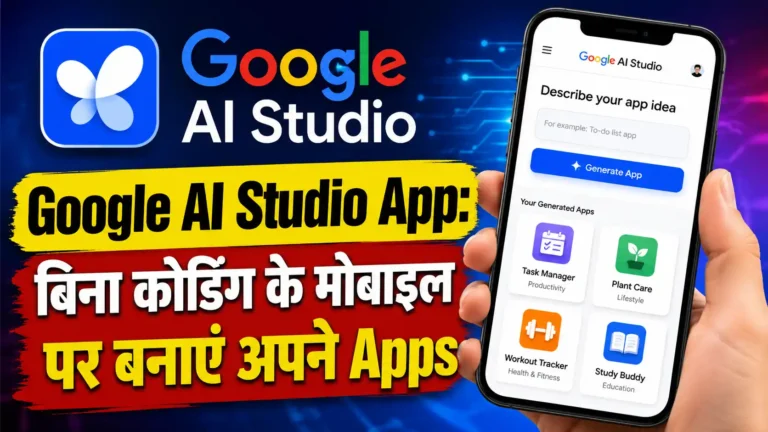
Google AI Studio , यह completely free web-based tool है जहां आप Google के Gemini models के साथ experiment कर सकते हो। Prompts test करो, images generate करो, speech बनाओ, lightweight apps बनाओ , बिना एक पैसा दिए।
Antigravity , Developers के लिए Google का AI-powered IDE है जो Gemini 3 से powered है। Complex coding tasks AI agents को दे दो जो plan बनाते हैं, code लिखते हैं, browser में test करते हैं , बिना आपकी निगरानी के। अभी Public Preview में free है।
अच्छी बातें:
- लगभग सब कुछ free है
- Pomelli on-brand content के लिए शानदार है
- Google AI Studio में Gemini models का full access
- नए tools regularly add होते रहते हैं
कमियां:
- Features बिना warning के हट सकते हैं (experimental हैं)
- कुछ tools हर देश में available नहीं
- Navigate करना थोड़ा confusing हो सकता है
Pricing: पूरी तरह Free
2. Gumloop , AI Automation का बादशाह
Best for: Marketing, sales और operations workflows को AI agents से automate करना
Pricing: Free plan उपलब्ध, फिर $37/month से शुरू
मैं कैसे use करता हूं: SEO workflows automate करना, web scraping, content repurposing pipelines
Gumloop एक AI automation और agent builder है जिसे मैं पिछले 14 महीनों से use कर रहा हूं। Zapier use करते-करते थक गया था , Gumloop ने वो जगह ले ली।
Zapier या n8n से यह इसलिए अलग है क्योंकि यह AI-first workflows के लिए बना है। सिर्फ data एक app से दूसरी app में transfer नहीं होता , बीच में AI model बैठकर सोचता है, analyze करता है और decisions लेता है।
यह ChatGPT, Claude, Gemini, DeepSeek, Grok , किसी भी LLM से connect होता है। MCP servers भी connect हो सकते हैं।
एक example: मेरा एक flow है जो competitor blog posts scrape करता है, AI से summarize करवाता है, और हर सुबह Slack पर digest भेजता है। दूसरा flow keywords की list लेता है, AI से content briefs बनाता है और Google Docs में push करता है , सब automatic।
Gummie , इनका in-product AI copilot जो आपको बताए कि आप क्या चाहते हो, वो खुद flow बना देता है।
अच्छी बातें:
- किसी भी LLM से connect होता है, अपनी API key भी ला सकते हो
- Web scraping automations बेहद आसान
- Drag-and-drop interface genuinely easy है
- Slack community से fast help मिलती है
कमियां:
- नया tool है, कभी-कभी UI quirks आ सकते हैं
- Complex workflows में trial and error लगता है
- Credit-based pricing पर नज़र रखनी पड़ती है
Pricing:
- Free: $0/month , 2,000 credits, 1 seat, unlimited nodes और flows
- Solo: $37/month , 10,000+ credits, unlimited triggers, webhooks
- Team: $244/month , 60,000+ credits, 10 seats, dedicated Slack support
- Enterprise: Custom pricing
3. Claude , सबसे बेहतरीन All-Around AI Assistant
Best for: Writing, coding, research, productivity , सब कुछ
Pricing: Free plan, Pro $20/month, Max $100/month से शुरू
मैं कैसे use करता हूं: Blog posts proofread करना, Claude Code से internal tools बनाना, SEO campaigns में MCP integrations
आप Claude को पहले से जानते होंगे, लेकिन specifically desktop app की बात करूं तो यह मेरा रोज़ का साथी बन चुका है।
Ideas refine करने से लेकर blog posts proofread करने तक, MCP servers से analytics या keyword data pull करने तक , Claude का use case बहुत broad है।
मेरा favorite तरीका: हर project के लिए “Claude Skills” बनाना और उन्हें Projects में instructions के रूप में save करना। इससे Claude उस project का custom assistant बन जाता है।
Claude Code , मैं इससे internal tools बनाता हूं। हाल ही में मैंने एक speech-to-text tool बनाया जो मैं अभी भी use कर रहा हूं।
Claude Cowork , Claude को आपके desktop का access देता है। वो आपके local files में edits कर सकता है।
Free plan genuinely काम का है , web search, memory, file creation, MCP connectors, Slack और Google Workspace integrations सब free में।
अच्छी बातें:
- Projects में custom instructions save होती हैं per campaign
- Claude Code internal tools और scripts के लिए बढ़िया
- MCP integrations से Google Analytics, Ahrefs जैसे tools connect होते हैं
- Free plan में भी बहुत कुछ है
कमियां:
- Usage limits frustrating हो सकती हैं Pro plan पर भी
- Images natively generate नहीं होती
- Pro ($20) से Max ($100) का gap बड़ा है
Pricing:
- Free: $0/month
- Pro: $20/month ($17/month annually) , Claude Code, Cowork, unlimited projects
- Max: $100/month से , 5x या 20x ज़्यादा usage, early access to new features
4. Cursor , AI Coding का Final Boss
Best for: AI-powered code editing और vibe coding किसी भी LLM model से
Pricing: Free plan, Pro $20/month
मैं कैसे use करता हूं: Claude Code को Cursor में use करना, frontend work के लिए Cursor agent
Cursor एक popular IDE है जो AI की मदद से software बनाने में help करता है। VS Code के ऊपर built है , तो पूरा development environment मिलता है , लेकिन AI agent features से आप कोई भी coding model use कर सकते हो।
यह LLM agnostic है , Claude Opus, Gemini Pro, ChatGPT Codex , literally कोई भी model।
मैं Cursor को Claude Code के साथ use करता हूं। Backend stuff के लिए Claude Code, frontend UI के लिए Cursor का अपना agent। Cursor का Composer model frontend tasks पर Claude Code से fast है।
GitHub integration आसान है, full integrated environment मिलता है।
अच्छी बातें:
- कोई भी LLM use कर सकते हो
- VS Code पर built , familiar feel
- GitHub integration smooth है
- Claude Code के साथ perfectly काम करता है
कमियां:
- Higher usage tiers पर expensive हो सकता है
- VS Code comfortable नहीं हो तो सीखना पड़ेगा
- Non-technical users के लिए learning curve है
Pricing:
- Hobby: Free , limited agent requests
- Pro: $20/month , extended limits, unlimited tab completions
- Pro+: $60/month , 3x usage
- Ultra: $200/month , 20x usage
5. Higgsfield , AI Video Creation का All-in-One Platform
Best for: AI video बनाना और edit करना एक जगह
Pricing: $9/month से शुरू
मैं कैसे use करता हूं: Multiple AI video models connect करना, voiceovers generate करना, एक platform पर सब
Higgsfield को video के लिए Cursor समझ लो , यह platform multiple video models को साथ लाता है plus video editing, image generation और audio tools भी।
अपने models भी हैं , Higgsfield Audio for voice cloning और multilingual synthesis। ElevenLabs भी platform में connect कर सकते हो।
पहले 5 अलग-अलग AI video tools में जाना पड़ता था , अब सब एक dashboard से होता है।
अच्छी बातें:
- Multiple AI video models एक platform में
- Voice cloning built-in
- Image generation भी supported
- Credits से affordable start
कमियां:

- कोई free plan नहीं
- नया platform है
- Heavy content creators के लिए expensive हो सकता है
Pricing:
- Basic: $9/month , 150 credits
- Pro: $29/month , 600 credits
- Ultimate: $49/month , 1,200 credits
- Creator: $250/month , 6,000 credits
6. Weavy , On-Brand Images बनाने का Smart तरीका
Best for: AI image generation workflows और on-brand visuals
Pricing: Free plan, फिर $24/month से
मैं कैसे use करता हूं: Blog post thumbnails बनाना जो हमारे design system के साथ match करें
Weavy (अब Figma का हिस्सा) images के लिए वही है जो Higgsfield videos के लिए है।
मैं इसे blog post thumbnails के लिए use करता हूं जो on-brand हों। अपने designer के example designs upload करता हूं, prompt templates set करती हूं , और फिर हर blog post के लिए quickly customized thumbnail बन जाती है।
अच्छी बातें:
- Batch image creation fast होती है
- Free plan में भी सभी AI models मिलते हैं
- Commercial license हर plan में included
- Consistent, on-brand visuals आसानी से बनते हैं
कमियां:
- Free plan sirf 150 credits और 5 workflows
- Heavy users के लिए credits जल्दी खत्म होते हैं
- Video generation में credits ज़्यादा लगते हैं
Pricing:
- Free: $0/month , 150 credits, 5 workflows
- Starter: $24/month , 1,500 credits, unlimited workflows
- Professional: $45/month , 4,000 credits
- Team: $60/user/month , shared credit pool
7. ElevenLabs , AI Voice Generation में सबसे बेहतर
Best for: AI voice generate करना, voiceovers, conversational agents
Pricing: Free plan, फिर $5/month से
मैं कैसे use करता हूं: AI videos के लिए voiceovers, conversational agents experiment करना
ElevenLabs voice के मामले में king है। Transcript दो , human जैसी आवाज़ मिल जाती है। 70+ languages में।
अब ElevenLabs Agents भी है , conversational agents deploy और monitor करने के लिए। इन्हें अपने products में directly build कर सकते हो।
अच्छी बातें:
- Market में सबसे realistic voice quality
- 70+ languages
- Free plan काफी generous है testing के लिए
- ElevenLabs Agents से conversational AI अपने products में add होती है
कमियां:
- बहुत ज़्यादा audio generate करो तो expensive होता है
- Voice cloning सिर्फ paid plans पर
- Agent plans अलग से बिलिंग होती है
- Free plan sirf 10k credits/month
Pricing:

- Free: $0/month , 10k credits
- Starter: $5/month , 30k credits, commercial license, instant voice cloning
- Creator: $11/month , 100k credits, professional voice cloning
- Pro: $99/month , 44.1kHz PCM audio quality
8. Paradigm AI , Spreadsheet में AI Agents
Best for: Spreadsheet data को AI agents से enrich करना
Pricing: Free plan, Pro $20/month
मैं कैसे use करता हूं: Keywords list को search intent data से enrich करना, bulk research tasks
Paradigm AI एक unique concept है , हर cell एक AI agent है।
Keywords की list एक column में डालो। दूसरे column में prompt लिखो “इस keyword का search intent क्या है?” और एक click में AI agents हर keyword search करके answer दे देते हैं।
Clay का alternative है , लेकिन ज़्यादा horizontal और broad use cases के लिए।
अच्छी बातें:
- हर cell एक AI agent , unique approach
- Bulk data enrichment के लिए बढ़िया
- CSV और XLSX import supported
- Clay से ज़्यादा flexible use cases
कमियां:
- Free plan पर monthly cap है
- Pro ($20) से Business ($500) का बड़ा gap
- Premium AI models सिर्फ Business पर
- Clay की तुलना में integrations कम हैं
Pricing:
- Starter: Free , basic AI models, monthly cap
- Pro: $20/month , $20 on-demand usage, 50 team seats
- Business: $500/month , premium AI models
- Enterprise: Custom pricing
9. Clearscope , SEO Content Optimization के लिए
Best for: SEO content optimize करना और keyword research
Pricing: $129/month से शुरू
मैं कैसे use करता हूं: Target keywords पर SEO reports run करके जानना कि कौन से terms include करने चाहिए
Clearscope उन AI tools में से एक है जो AI trend से पहले से था। मैंने इसे 2019 में discover किया था।
यह tool AI use करके बताता है कि आपको page पर कौन से keywords include करने चाहिए ताकि ranking maximize हो। एक keyword दो , competitors की SEO report मिल जाती है।
IBM Watson और Google NLP से powered है। TF-IDF technique से related keywords identify करता है जो top ranking pages में हैं।
अच्छी बातें:
- Content grade clearly दिखता है , पता चलता है कब page optimized है
- AI boom से पहले का mature और reliable product
- Google Docs और WordPress से integrate होता है
- Actually ranking pages से data लेता है
कमियां:
- कोई free plan नहीं, $129/month steep है
- Full keyword research नहीं करता
- Surfer SEO जैसे alternatives सस्ते हैं
Pricing:

- Essentials: $129/month , 20 AI tracked topics, 20 monthly explorations
- Business: $399/month , 50 AI tracked topics, dedicated account manager
- Enterprise: Custom pricing
10. v0 , Web App Prototyping के लिए सबसे अच्छा
Best for: Web apps और websites का prototype बनाना great design के साथ
Pricing: Free plan, Premium $20/month
मैं कैसे use करता हूं: App designs prototype करना, फिर code Cursor में export करके production-ready बनाना
Vercel की team ने v0 बनाया है , और यह vibe coding के लिए बेस्ट tool है, खासकर अगर आपको design की भी परवाह है।
Supabase से integrate होता है , full database भी बना सकते हो। Vercel पर directly deploy हो सकता है।
मैं personally इसे prototype के लिए use करता हूं, फिर code export करके Cursor में production-ready बनाता हूं।
अच्छी बातें:
- किसी भी vibe coding tool से बेहतर design quality
- Vercel पर directly deploy
- Supabase से full database integration
- Free plan में $5 monthly credits और GitHub sync
कमियां:
- Free plan sirf 7 messages/day
- Production use के लिए cleanup चाहिए
- Full production apps से ज़्यादा prototyping के लिए है
Pricing:
- Free: $0/month , $5 credits, GitHub sync
- Premium: $20/month , $20 credits, Figma import
- Team: $30/user/month
- Business: $100/user/month
- Enterprise: Custom
11. Lovable , Bina Code Likhe Full App Banao
Best for: Full-stack web apps बिना code लिखे बनाना
Pricing: Free plan, Pro $25/month
मैं कैसे use करता हूं: Plain language में describe करके app ideas और internal tools quickly prototype करना
Lovable और v0 दोनों vibe coding tools हैं , लेकिन अंतर यह है:
v0 = design-first prototyping के लिए
Lovable = working product जल्दी चाहिए तो
आप plain language में describe करो , Lovable real-time में working prototype बनाता है। Supabase और GitHub से connect होता है।
Template library भी है अगर scratch से शुरू नहीं करना।
अच्छी बातें:
- Prompts से full working apps generate होती हैं
- One-click deploy , fast ship करो
- Database और GitHub out-of-the-box
- Free plan में unlimited collaborators
कमियां:
- Free plan sirf 5 daily credits, public projects only
- Designs same-same लग सकते हैं दूसरे vibe-coded apps जैसे
- Enterprise-level complex apps के लिए ideal नहीं
Pricing:
- Free: $0/month , 5 daily credits (30/month max)
- Pro: $25/month , 100 monthly credits, custom domains
- Business: $50/month , SSO, team workspace
- Enterprise: Custom
12. Originality AI , AI Content Detect करो Publish करने से पहले
Best for: AI content detection और plagiarism checking
Pricing: $30 pay-as-you-go, या Pro $14.95/month
मैं कैसे use करता हूं: Blog posts scan करना , publish करने से पहले AI detection flags check करना
Originality AI सबसे accurate AI content detector है जो मैंने use किया है। AI detection के साथ-साथ plagiarism checker, readability checker और fact-checking aid भी है।
Important note: ये tools guides हैं, ultimate truth नहीं। मैंने 100% human-written content को भी AI-flagged होते देखा है। इसलिए नमक की एक चुटकी के साथ लो।
अच्छी बातें:
- सबसे accurate AI detection tool
- Plagiarism, readability, fact-checking एक जगह
- Pay-as-you-go option , subscription ज़रूरी नहीं
- Chrome extension और WordPress plugin
कमियां:
- 100% accurate नहीं है कोई भी detector
- Free plan नहीं है
- Interface functional है लेकिन polished नहीं
Pricing:
- Pay-as-you-go: $30 one-time , 3,000 credits
- Pro: $14.95/month , 2,000 credits/month, file uploads, Chrome extension
- Enterprise: $179/month , 15,000 credits, API access
13. Descript , Video और Podcast Editing AI के साथ
Best for: AI-powered video और podcast editing
Pricing: Free plan, फिर $16/month से
मैं कैसे use करता हूं: Long-form video edit करना, filler words हटाना, AI से scripts generate करना
Descript long-form videos और podcasts के लिए AI editing platform है।
Innovative feature: Text edit करके video edit करो। Script में से word delete करो , video से वो हिस्सा automatically हट जाता है।
Green screen, eye contact correction, Studio Sound (audio quality clean up), filler word removal , सब कुछ है। Full text-based editing platform है AI के साथ।
अच्छी बातें:
- Text-based video editing , game-changing workflow
- AI filler word removal से घंटों की editing बचती है
- Studio Sound bad audio को automatically clean करता है
- Scripts, video clips, custom voice clones generate कर सकता है
कमियां:

- Free plan बहुत limited है
- Large files पर slow हो सकता है
- AI credits जल्दी खत्म हो जाते हैं
Pricing:
- Free: $0/month , basic tools
- Hobbyist: $16/month , 10 media hours, 400 AI credits, 1080p export
- Creator: $24/month , 30 media hours, 800 AI credits, 4K export
- Business: $50/month , 40 media hours, custom avatars, 30+ language dubbing
- Enterprise: Custom
14. Perplexity , AI-Powered Research के लिए सबसे अच्छा
Best for: AI-powered research और conversational web search
Pricing: Free plan, Pro $17/month (annually)
मैं कैसे use करता हूं: Statistics, content ideas और trends research करना , sourced answers के साथ
Perplexity research के लिए मेरा favorite tool बन गया है।
ChatGPT या Claude से better इसलिए है क्योंकि इसमें web searching बेहतर है। Social search feature है जो forums और UGC content से insights pull करता है।
Sourced, cited answers मिलते हैं , सिर्फ links की list नहीं।
अब Computer feature भी है , एक AI agent जो आपके लिए tasks complete करता है। Claude Cowork या ChatGPT Agent जैसा।
अच्छी बातें:
- Sources के साथ cited answers , links की list नहीं
- Social search से forums और UGC insights
- Pro plan पर GPT-5.2, Gemini 3.1 Pro, Grok 4.1 में से choose करो
- Computer feature से tasks delegate करो AI agent को
कमियां:
- Sources हमेशा authoritative नहीं होते
- कभी-कभी outdated information confidently दे देता है
- Ultra plan $167/month , most users के लिए expensive
Pricing:
- Free: $0/month , basic search और AI answers
- Pro: $17/month (annually) , GPT-5.2, Gemini 3.1 Pro, Grok 4.1 access
- Ultra: $167/month (annually) , advanced reasoning, deep investigations
15. Gamma , AI से Presentations और Pitch Decks बनाओ
Best for: AI-powered presentations, documents और pitch decks
Pricing: Free plan, Plus $12/month
मैं कैसे use करता हूं: Pitch decks, proposal documents और social media visuals बनाना बिना designer के
Gamma presentation बनाने के लिए best AI tool है। Slide decks, websites, social media posts, documents, proposals , सब कुछ।
Text prompt दो , seconds में full presentation तैयार। Canva को slides और documents के लिए AI version समझ लो।
अच्छी बातें:
- Text prompt से पूरी presentation seconds में
- Presentations, docs, websites, social posts , सब एक tool में
- PDF और PPTX import कर सकते हो
- PDF, PPTX, PNG, Google Slides को export
कमियां:
- Free plan sirf 400 credits signup पर , monthly refresh नहीं
- AI-generated content को अपनी voice match करने के लिए editing चाहिए
- Figma या PowerPoint जितना detailed customization नहीं
Pricing:
- Free: $0/month , 400 credits at signup
- Plus: $12/seat/month , 1,000 monthly credits, branding हटाएं
- Pro: $25/seat/month , 4,000 monthly credits, custom branding, analytics
- Ultra: $100/seat/month , 20,000 monthly credits, most advanced AI models
सबसे अच्छा Free AI कौनसा है?
यह आपके use case पर depend करता है। लेकिन अगर एक चुनना हो तो Claude , free plan में web search, memory, file creation, MCP connectors, Slack और Google Workspace integrations मिलती हैं।
Free AI ecosystem चाहिए? तो Google Labs , image generation, email productivity, prototyping, AI-powered IDE , सब free।
Automation करनी है free में? तो Gumloop , 2,000 credits, unlimited nodes, किसी भी LLM से connect , free में काफी कुछ है।
आखिरी बात
इन 70+ tools को test करने के बाद मैंने एक बात सीखी , बेहतरीन AI tool वो है जो पहले हफ्ते के बाद भी आप use करते रहो।
ये 15 tools मेरे real time बचाते हैं। काम तेज़ होता है। कुछ background में automatically चलते हैं जब मैं दूसरे काम करता हूं।
और honestly, हम अभी शुरुआत में हैं। पिछले 3 साल में AI tools ने जो बदलाव किए हैं , अगले 3 साल में जो आएगा वो शायद और भी चौंकाने वाला हो।
इसलिए experiment करते रहो। जो काम का लगे वो रखो, बाकी छोड़ दो।
यह article Deshtak.com के लिए लिखा गया है। अगर आपको यह helpful लगा तो अपने दोस्तों के साथ share ज़रूर करें।