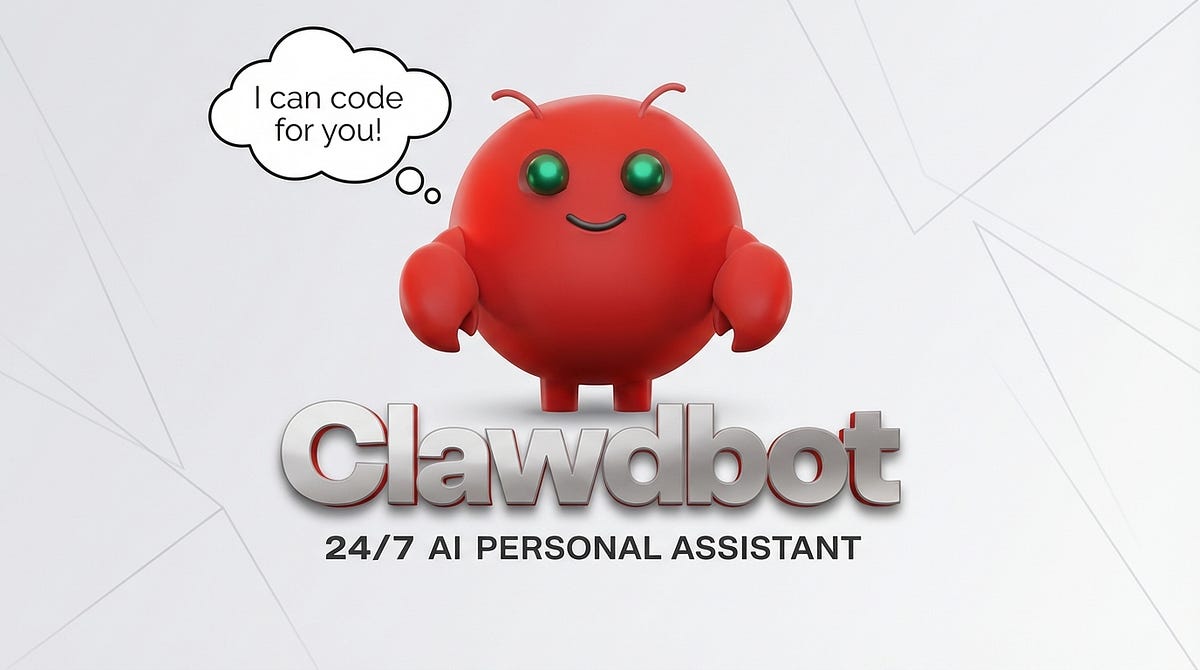
अब इंसान नहीं, कंप्यूटर करेगा सब कुछ! OpenClaw AI का कमाल | OpenClaw: The Future of AI on Your Computer
Installation से लेकर Advanced Features तक – Complete Guide
A revolutionary AI tool
अगर आप AI टूल्स की दुनिया में रुचि रखते हैं, तो OpenClaw आपके लिए गेम-चेंजर साबित हो सकता है। यह सिर्फ एक चैटबॉट नहीं है – यह आपके कंप्यूटर को एक intelligent assistant में बदल देता है जो वास्तविक काम करता है, सिर्फ बातें नहीं करता।
ChatGPT के बाद यह पहला टूल है जिसने tech community को इतना excited किया है। और सबसे बड़ी बात – यह पूरी तरह से FREE और Open Source है!
OpenClaw क्या है?
OpenClaw एक revolutionary AI tool है जो आपके पूरे कंप्यूटर को control कर सकता है। Peter नाम के एक developer ने इसे बनाया और open source कर दिया – यानी किसी भी कंपनी (OpenAI, Google, या किसी और) के बिना आप इसे freely use कर सकते हैं।
यह टूल इतना viral हुआ कि केवल तीन दिनों में इसके Twitter followers 10,000 से बढ़कर 2 लाख हो गए! CNN, Google, Yahoo, MSN, और Trust Pilot जैसे major platforms ने इसके बारे में positive reviews दिए हैं।
OpenClaw की प्रमुख विशेषताएं
1. पूर्ण कंप्यूटर नियंत्रण
ChatGPT से अलग, OpenClaw सिर्फ text में जवाब नहीं देता – यह actually काम करता है। यह आपके कंप्यूटर को capture कर लेता है और एक robot की तरह सभी tasks perform करता है।
2. Persistent Memory
यह सबसे amazing feature है! OpenClaw हर conversation और instruction को याद रखता है, चाहे आप browser बंद कर दें या computer shutdown हो जाए। अगर आपने 2 दिन बाद के लिए कोई task assign किया है, तो यह exactly उसी time पर complete हो जाएगा।
3. WhatsApp और अन्य Messengers के साथ Integration
आप अपने WhatsApp, Telegram, Discord या किसी भी messenger से directly OpenClaw को control कर सकते हैं। आपको अपने ही number को message करना है और bot आपके laptop पर काम करता रहेगा!
4. Multiple AI Models Support
OpenClaw multiple AI engines को support करता है – Claude, OpenAI, Gemini, Mistral और कई अन्य। आप अपनी पसंद का कोई भी AI agent चुन सकते हैं।

सिस्टम आवश्यकताएं
न्यूनतम आवश्यकताएं:
- कोई भी decent कंप्यूटर (Windows या Mac)• Terminal/Command Prompt की basic understanding• Internet connection
अनुशंसित:
बेहतर performance के लिए एक अच्छा कंप्यूटर recommended है। जितना powerful computer होगा, उतने ज्यादा और complex tasks आप simultaneously चला सकते हैं। Mac M4 या इससे बेहतर ideal है।
सुरक्षा सावधानियां
महत्वपूर्ण: Personal computer पर OpenClaw install करने से बचें। यह tool आपके पूरे laptop को access करता है, इसलिए:
- एक separate/dedicated computer use करें• Personal Gmail accounts या sensitive data वाले systems पर install न करें• अगर संभव हो तो एक अलग MacBook या laptop specifically इसी के लिए रखें
Installation Guide – Step by Step
Step 1: Download और Installation
- वेबसाइट पर जाएं: OpenClaw.bot2. Quick Start section में दिए गए command को copy करें3. Mac users: Terminal खोलें (Applications में)4. Windows users: Run command window खोलें5. Copied command को paste करें और Enter दबाएं
Installation process शुरू होगी जिसमें:
- Main files download होंगी• Required plugins install होंगे• Node modules setup होंगे• Initial configuration files create होंगी
Step 2: Initial Setup
Installation के बाद, OpenClaw कुछ important questions पूछेगा:
- Laptop Access Permission:“क्या आप मुझे अपने laptop की access देना चाहते हैं?”→ Yes select करें
- AI Agent Selection:कौन सा AI agent use करना चाहते हैं?Options: Claude, OpenAI, Gemini, Mistral, etc.→ अपनी पसंद select करें (OpenAI recommended for beginners)
- API Key Configuration:अगर OpenAI select किया है:• OpenAI API key enter करें• या अपने ChatGPT account से directly login करें• API key use करना recommended है
- Communication Gateway:कैसे communicate करना चाहेंगे?Options:• WhatsApp (recommended)• Telegram• Discord• अन्य messengers
Step 3: WhatsApp Setup
- WhatsApp select करने के बाद QR code या linking process शुरू होगा2. अपने WhatsApp में Linked Devices section में जाएं3. OpenClaw को link करें4. कोई developer account या API की जरूरत नहीं – सिधे अपने personal WhatsApp से link होगा
Step 4: Personalization
अब OpenClaw आपसे personal information पूछेगा:
- Bot का नाम क्या होगा? (उदाहरण: “Basanti”)• Bot का icon/avatar कौन सा होगा?• Bot की personality कैसी हो? (Professional, friendly, formal, etc.)• आपका नाम और basic details• Time zone और location• Preferred language और emoji usage
Pro Tip: जितना detail में information दोगे, उतना better OpenClaw आपकी preferences समझेगा।
Step 5: Skills और Plugins
OpenClaw आपको different skills install करने का option देगा:
- Image generation और editing• Video creation tools• Document processing• Email management• Web browsing और search• Code generation• और बहुत कुछ…
आप चाहें तो सभी को select कर सकते हैं, या बाद में specific skills add कर सकते हैं।
OpenClaw के उपयोग के उदाहरण
Basic Tasks
- Web Search और Information:“Google में जाकर Solo Leveling Season 2 के बारे में information निकालो और बताओ कब release हुआ?”→ OpenClaw terminal से Google पर जाएगा, search करेगा, और details provide करेगा
- Email Management:“मेरी Gmail check करो और देखो Adil की कोई email आई है क्या?”→ Gmail login करेगा, emails check करेगा, और specific person की email find करेगा
- Content Creation:“Beyond Tahir Official YouTube channel के लिए OpenClaw पर एक video script लिखो”→ Channel के style और tone को समझकर professional script generate करेगा
Advanced Tasks
- Document Processing:“Word document से data निकालो और PowerPoint presentation बनाओ”→ Document का content analyze करेगा और professional presentation create करेगा
- Video Editing:“CapCut खोलो और इस video को import करो”→ Software को control करेगा और video editing tasks perform करेगा
- Software Development:“एक complete website बनाओ और deploy करो”→ Cursor या VS Code से connect होकर पूरा software develop करेगा
- Social Media Management:“Instagram के लिए image बनाओ और post करो”→ AI-generated image create करेगा और directly Instagram पर post कर देगा
- Automation:“हर दिन सुबह 9 बजे मुझे important emails का summary WhatsApp पर भेजो”→ Schedule task set करेगा और daily automatically execute करेगा
Smart Home Integration
अगर आपके पास smart home devices हैं:
- AC का temperature control• Lights on/off• Smart cooking appliances• Home security systems• और भी बहुत कुछ…
उन्नत सुविधाएं
1. Multiple Number Pairing
आप अपने OpenClaw को 10,000 different numbers से pair कर सकते हैं! इसका मतलब:
- Team members अपने-अपने numbers से same OpenClaw को use कर सकते हैं• Multiple projects simultaneously चल सकते हैं• एक powerful computer पर multiple users काम कर सकते हैं• Centralized AI assistant for entire team
2. Plugin Ecosystem
OpenClaw 30-40+ plugins support करता है:
- Image generation (DALL-E, Midjourney integration)• Computer vision• Natural language processing• Code compilation और testing• Video generation (Runway, Pika)• Audio processing• Data analysis
3. Google Services Integration
Google API key provide करने पर:
- Gmail direct access• Google Drive management• Google Calendar scheduling• Google Docs, Sheets editing• Gemini AI integration
4. Long-term Memory Management
Memory जितनी भरती जाएगी, performance उतना धीमा हो सकता है। इसलिए:
- High RAM वाला computer recommended• Regularly unnecessary conversations clear करें• Important tasks को priority दें• बड़े tasks के लिए adequate storage ensure करें
व्यावहारिक उपयोग के मामले
Content Creators के लिए
- Video scripts automatically generate• Thumbnails और graphics बनाना• Video editing automation• Social media posts scheduling• Analytics tracking और reporting• Multi-platform content distribution
Developers के लिए
- Complete applications development• Code review और debugging• Documentation generation• Testing automation• Deployment management• Bug tracking और fixing
Business Professionals के लिए
- Email management और responses• Reports और presentations• Data analysis और visualization• Meeting scheduling• CRM data entry• Invoice processing
Students के लिए
- Research assistance• Assignment organization• Note-taking automation• Study schedule management• Resource compilation• Project collaboration
सुझाव और Best Practices
1. Detailed Instructions
जितना detailed instruction देंगे, उतना better result मिलेगा। Example:
❌ Bad: “Email भेजो”✓ Good: “Adil को email भेजो subject ‘Project Update’ के साथ और बताओ कि project next week complete होगा”
2. Initial Configuration में Time Invest करें
Setup के दौरान जितना detail में अपने बारे में, अपने काम के बारे में, और preferences के बारे में बताएंगे, उतना better OpenClaw काम करेगा। यह one-time investment है जो long-term benefits देती है।
3. Regular Updates और Communication
अपने projects, goals, और priorities के बारे में OpenClaw को regularly update करते रहें। यह better context provide करता है और accurate results देता है।
4. Security Practices
- Sensitive financial information के लिए सावधानी बरतें• Personal passwords या credentials manually handle करें• Important documents का backup रखें• Regular security audits करें
ChatGPT और अन्य AI Tools से तुलना
ChatGPT:• सिर्फ text-based responses• Browser में ही limited• Memory हर session के बाद clear• कोई actual task execution नहीं
OpenClaw:• पूरे computer को control करता है• Persistent memory• Actually tasks execute करता है• WhatsApp से remote control• Multiple applications को handle करता है• Scheduled tasks• Team collaboration
Community और Support
OpenClaw का एक active community है जहां:
- Users अपने use cases share करते हैं• Developer Peter regularly updates provide करते हैं• नए features के बारे में discussions होते हैं• Troubleshooting help मिलती है• Creative applications discover होते हैं
Creator खुद कहते हैं कि इसके unlimited possibilities हैं और community से input लेकर वो continuously improve कर रहे हैं।
भविष्य की संभावनाएं
OpenClaw अभी अपने early stages में है, लेकिन possibilities endless हैं:
- IoT devices के साथ deeper integration• Voice control capabilities• Multi-computer coordination• Advanced automation workflows• Industry-specific customizations• Enterprise-level features• AI model improvements• Better plugin ecosystem
निष्कर्ष
OpenClaw सिर्फ एक tool नहीं है – यह future की झलक है जहां AI assistants actually काम करते हैं, सिर्फ सलाह नहीं देते। Free और open source होने के कारण यह सभी के लिए accessible है।
चाहे आप content creator हों, developer हों, business professional हों, या student – OpenClaw आपकी productivity को significantly boost कर सकता है।
Sky is the limit – आपका पूरा laptop इसके हाथ में है, आपको बस WhatsApp से instructions देनी हैं!
आज ही शुरू करें!
- OpenClaw पर जाएं
- Quick start guide follow करें
- अपना पहला task try करें
- Community में अपने experience share करें
- Explore करते रहें और नए use cases discover करें!
Happy Automating! 🚀
नोट: यह blog post social media पर आधारित है। Actual features और capabilities समय के साथ बदल सकती हैं। हमेशा official documentation check करें।
Top 7 Clothes Remover AI Tools: A Complete Guide to Professional Photo Editing
(देश और दुनिया की ताज़ा खबरें सबसे पहले पढ़ें Deshtak.com पर , आप हमें Facebook, Twitter, Instagram , LinkedIn और Youtube पर फ़ॉलो करे)