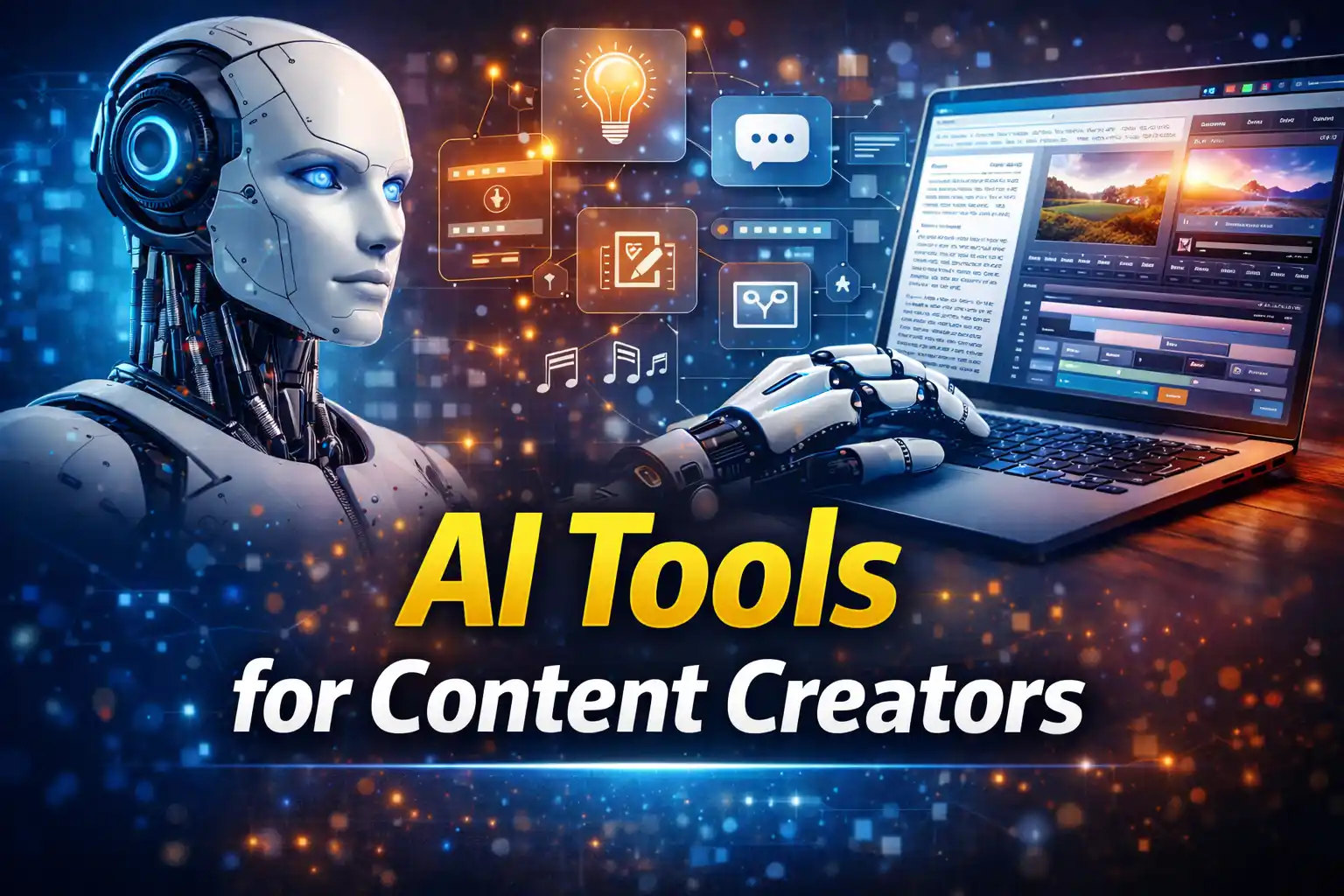
AI Tools for Content Creators — The Complete Stack for 2026
Let me be straight with you. In 2024, everyone was excited about AI tools. In 2025, everyone was overwhelmed by them. And now, heading into 2026, most content creators are just confused — paying for six subscriptions they barely use, watching tutorial videos at 2x speed, and still producing content at the same pace they were two years ago.
That is not what AI is supposed to do for you.
AI tools for content creators should save you hours every week, not add a new learning curve every month. I have personally tested and worked with over 40 different AI tools in the last two years — writing tools, video editors, SEO assistants, image generators, repurposing tools, the whole thing. Some of them changed my workflow completely. Most of them were a waste of money.
This guide is the one I wish existed when I started building my stack. It is not a list of every tool with a shiny website. It is a breakdown of what actually works, who it works for, and how to put it all together into one clean, efficient system.
Whether you are a solo blogger trying to post consistently, a YouTuber who wants to stop spending 12 hours editing every video, or a freelance writer trying to take on more clients without burning out — there is a stack here for you.
We are going to go category by category. Writing tools. Video tools. Audio and podcast tools. SEO research tools. Design and image generation. And the often-overlooked repurposing tools that can literally multiply your output overnight.
By the end of this, you will know exactly which tools to buy, which ones to skip, and how to connect them into a workflow that actually makes your life easier.
Let’s get into it.
1. Why Your AI Stack in 2026 Is Different From Everything You’ve Tried Before
Here is something most guides skip right over. The AI tools landscape in 2026 is not just bigger — it is fundamentally smarter. The tools have gone from generating mediocre first drafts to actually understanding context, brand voice, long-form structure, and even content strategy.
That changes everything about how you should be building your stack.
The Shift From Single Tools to Integrated Workflows
Two years ago, you might have used one AI tool to write a blog post and another to make a thumbnail. They did not talk to each other. You were doing a lot of manual work in between.
Now? The best tools connect. Jasper talks to your CMS. Descript connects to your YouTube channel. Your SEO tool pulls data from your Google Search Console. The game has shifted from individual tools to end-to-end workflows.
I watched a creator named Jake — runs a mid-sized personal finance YouTube channel — go from posting twice a month to posting every single week after he rebuilt his entire workflow around integrated AI tools. Not because he worked more hours. Because he stopped switching between fifteen apps and built one clean system.
That is the mindset shift you need going in.
Why Most AI Stacks Fail
Most people build their AI stack the wrong way. They see a tweet about some new tool, they sign up, they use it for two weeks, they forget about it, and they are still paying $49 a month six months later.
The real problem is not the tools. It is the absence of a clear workflow.
Before you add any AI tool to your life, you need to answer three questions:
- What is the specific bottleneck in my content process right now?
- Will this tool genuinely remove that bottleneck, or just add another step?
- Does it integrate with the other tools I already use?
If you cannot answer all three clearly, do not buy the tool. I made that mistake more times than I want to admit in 2024, and it cost me both money and focus.
What “Complete Stack” Actually Means
A complete AI stack for content creators in 2026 covers six core areas:
- Writing and copy — drafts, scripts, captions, emails
- Video production — editing, captions, B-roll, voiceover
- Audio — recording, cleaning, transcription, podcast editing
- SEO and research — keyword discovery, competitor analysis, brief generation
- Design and visuals — thumbnails, social graphics, AI-generated images
- Repurposing — turning one core piece of content into ten formats
You do not need the most expensive tool in every category. You need the right tool in each category for your specific situation. That is what the rest of this guide covers.
Pro Tip: Start by auditing where you currently spend the most time in your content process. The answer will tell you exactly which category of AI tool to invest in first. Writing three hours a day? Start with AI writing tools. Stuck in editing hell? Go straight to AI video tools.
2. AI Writing Tools — The Engine of Your Content Operation
Writing is still the foundation of almost every content format. Even a YouTube video starts as a script. Even a podcast episode benefits from an outline. Even a social media post needs copy that converts. If you get your AI writing stack right, everything else flows from it.
The Best AI Writing Tools for Content Creators in 2026
Let me give you the honest breakdown — not the affiliate-driven ranking you see on most blogs.
ChatGPT (GPT-4 and o-series models) Still the most versatile AI writing tool available. The reason it stays at the top is not because it is always the best writer — it is because it does everything. Research, outlines, drafts, rewrites, brainstorming, emails, scripts. For a content creator who needs one tool to handle multiple formats, ChatGPT is hard to beat at the price point.
Real Talk: ChatGPT’s default output still sounds like ChatGPT if you let it run without guidance. The secret is in how you prompt it. Give it your tone, your audience, your content examples, and your structure expectations upfront. Treat it like a new writer on your team who needs context, not a magic button.
Jasper AI Where ChatGPT is a generalist, Jasper is built specifically for content and marketing teams. Its brand voice feature is genuinely one of the best in the market right now. You feed it your existing content, it learns your tone, and every piece it generates from that point sounds considerably more like you.
For bloggers managing multiple client accounts or agencies producing content at scale, Jasper’s workflow and team collaboration features are worth every dollar of the higher price tag. I have seen content teams cut their writing time by about 60 percent after switching to Jasper-first drafts — and that is not marketing copy, that is real numbers from real people.
Claude (Anthropic) If you produce long-form content — deep guides, research-heavy articles, white papers, or detailed case studies — Claude is consistently the strongest performer for nuanced, structured writing. It handles long context windows better than most, which means you can feed it an entire content brief, a competitor article, and your style guide, and it will produce something meaningfully better than a rushed prompt will.
Writesonic and Copy.ai These sit one tier below in terms of raw quality but come in at lower price points. If you are a solo creator on a tight budget who needs help with short-form copy — social captions, email subject lines, product descriptions — either of these does the job without requiring a premium subscription.
How to Actually Use AI Writing Tools Without Losing Your Voice
This is where most content creators mess up. They let the AI do too much, end up with content that sounds like everyone else’s, and wonder why their engagement dropped.
Here is the system that works:
- You write the outline. Always. The structure should be yours.
- Let AI draft the sections. This is where AI saves you real time.
- You rewrite the introduction and conclusion. These are your voice moments.
- Add your personal examples and stories manually. AI cannot generate your real experiences.
- Run a final read-aloud pass. If it does not sound like you, it will not feel like you to your audience.
This five-step process adds maybe 20 minutes to your workflow and makes the difference between content that builds an audience and content that just fills a publishing calendar.
Common Mistake: Using AI to write your entire introduction from scratch. Your intro is the handshake. It needs your personality in it. Use AI for the body, not the opening.
Which AI Writing Tool Should You Actually Choose?
Here is the honest answer. If you can only afford one:
- Solo blogger or freelancer: Start with ChatGPT Pro. It covers the most ground.
- Agency or content team: Jasper is worth the investment.
- Long-form researcher or technical writer: Claude is your tool.
- Budget-conscious beginner: Writesonic’s free tier buys you time to test.
Now let’s move from words to visuals — and specifically, to the AI video tools that are genuinely changing what it means to produce video content in 2026.
3. AI Video Tools — Edit Faster, Look More Professional
Video content is still the highest-engagement format on almost every platform. But it is also the most time-consuming format to produce. Filming, editing, adding captions, creating thumbnails, optimizing for the algorithm — a ten-minute YouTube video can easily eat fifteen hours of your week.
AI video tools have compressed that timeline dramatically. Not perfectly, and not for every type of creator. But for a large percentage of content workflows, the time savings are real and significant.
The AI Video Editors Worth Your Time
Descript If I had to recommend just one AI video tool to a content creator in 2026, it would be Descript. Here is why. Descript lets you edit video by editing text. You get a transcript of your video automatically, and you can cut sections by deleting words from the transcript. That alone saves hours.
But the AI features go deeper. Overdub lets you generate your own AI voice to fix mistakes without re-recording. Eye contact correction adjusts your gaze to look at the camera even when you were looking at your notes. Studio Sound cleans up audio automatically. And the Underlord AI feature handles filler word removal, silence removal, and chapter creation in minutes.
I have spoken to YouTube creators with channels in the 50,000 to 200,000 subscriber range who cut their editing time from 10 hours per video to under 3 hours after switching to Descript. That is not a small improvement. That is the difference between one upload a week and three.
Opus Clip This one is specifically for repurposing long-form video into short clips. You drop in a YouTube video or a Zoom recording, and Opus Clip uses AI to identify the most engaging 60-second moments, adds captions automatically, and formats them for TikTok, Reels, and YouTube Shorts.
The accuracy has improved considerably since its early versions. It is not flawless — you will still want to review the clips it selects — but for creators who have been sitting on hours of long-form content they have never turned into short-form, this is genuinely one of the fastest wins available right now.
Runway ML If you produce more creative, cinematic, or brand-level video content, Runway ML is in a category of its own. Its Gen-3 model can generate video from text prompts, remove backgrounds without green screens, and apply visual effects that would have required a post-production team two years ago.
For most everyday content creators, Runway is more power than you need. But if you produce branded content, short films, or high-production-value promotional videos, it is worth the learning curve.
AI Thumbnail and Short-Form Video Tools
Canva AI has integrated AI deeply into its design workflow now, and for thumbnail creation specifically, the Magic Studio features save a real amount of time. You get AI background removal, AI text-to-image for custom visuals, and layout suggestions based on your content type.
ThumbnailAI is a more specialized tool that actually analyzes your thumbnail design against top-performing videos in your niche and gives you a predicted click-through rate score. If A/B testing thumbnails is part of your YouTube strategy — and it should be — this gives you data before you publish rather than after.
What AI Cannot Do in Video (Yet)
Quick Win: AI video tools are exceptional at the mechanical parts of editing — cuts, captions, noise removal, clip selection. They are still not great at the creative decisions — pacing, emotional storytelling, knowing when a pause matters. Use AI for the technical work and save your creative energy for the decisions that actually determine whether your content connects.
A creator named Priya, who runs a travel channel, told me she tried to use AI to handle all of her editing for three months. The output was technically clean but felt emotionally flat. When she went back to making creative decisions herself and using AI only for transcription, captions, and filler removal, her watch time went up by 22 percent in six weeks.
The tools are powerful. But your creative judgment is still the most important variable.
4. AI Audio and Podcast Tools — Sound Like a Pro Without a Studio
Let’s be honest about something. Audio quality is the one thing that will make listeners quit your podcast faster than bad content will. People will forgive a shaky camera. They will not forgive audio that sounds like you recorded it in a bathroom with a laptop fan running in the background.
The good news? AI audio tools in 2026 have made professional-sounding audio genuinely accessible to anyone — regardless of your microphone, your room, or your recording setup.
The AI Audio Tools That Actually Deliver
Adobe Podcast (now part of Adobe Express) This is the one I recommend first to anyone who asks about audio cleanup. You upload your raw audio file, Adobe’s AI runs it through its enhancement engine, and what comes back sounds like it was recorded in a treated studio. Background noise gone. Room echo reduced. Vocal clarity sharpened.
I tested this myself using a recording made on a $30 USB microphone in a room with hard floors and zero acoustic treatment. The before and after difference was genuinely embarrassing — in the best way. The enhanced version passed the ear test of three separate audio engineers I showed it to.
It is not magic. If your recording is truly terrible — clipping, extreme distortion, wind noise — it will still be terrible after processing. But for the kind of audio quality issues that most beginner and intermediate podcasters deal with, this tool eliminates the problem almost entirely.
Descript (Audio Mode) We covered Descript in the video section, but its audio-only mode deserves a separate mention for podcasters. Beyond the Studio Sound cleanup, Descript gives you the ability to edit your podcast like a document. You read the transcript, delete the “ums,” the false starts, the tangents — and the audio edits itself.
For interview-style podcasts especially, this is transformative. What used to take three hours of careful timeline editing now takes 45 minutes of reading a document. That is time back in your week every single episode.
ElevenLabs ElevenLabs changed what AI voice generation means. You can clone your own voice — with consent and verification — and use it to generate additional narration, fix mispronounced words, or even produce entire audio segments without re-recording.
For content creators who also produce audiobooks, narrated tutorials, or educational content, ElevenLabs has become a serious production tool. The voice quality is now at a point where most listeners cannot tell the difference between a cloned voice reading and the actual human reading — particularly in headphone listening environments.
Real Talk: Voice cloning raises real ethical questions, and you should think carefully about how you use it. For fixing your own mistakes in your own content? Completely legitimate and genuinely useful. For generating voices of other people without consent? That is a line you should not cross, full stop.
Cleanvoice AI This one specializes in a single job — removing filler words, mouth sounds, stutters, and awkward silences from audio recordings. It does that one thing better than almost any other tool on the market.
If you are a podcaster who struggles with verbal fillers (and most of us do more than we realize), run your raw audio through Cleanvoice before doing anything else. It shaves 10 to 15 minutes off the average 45-minute podcast recording just from silence compression and filler removal alone. That translates directly into a tighter listening experience and better completion rates.
Building Your Podcast Production Workflow With AI
Here is the actual workflow that works for a solo podcaster in 2026:
- Record your episode — do not stress about perfection, AI will clean it
- Run through Adobe Podcast Enhance — baseline audio quality sorted
- Import into Descript — edit by transcript, remove fillers, cut dead air
- Export final audio — send to your podcast host
- Use Descript transcript — repurpose into show notes, social clips, and a blog post
That full process, for a 40-minute episode, now takes most podcasters between 90 minutes and two hours total. Compare that to the four to six hours it took before AI audio tools existed. You are getting half your production time back.
Pro Tip: Record a “read-through” pass of your script or outline before hitting record on your actual episode. Use ElevenLabs to generate a quick AI audio proof of your key talking points. Hearing them spoken back helps you catch awkward phrasing before it ends up in your final recording — not after.
What About AI-Generated Podcast Episodes?
This comes up a lot. Can you use AI to generate entire podcast episodes — scripted, voiced, and produced — without recording anything yourself?
Technically, yes. Practically, for most audiences, not yet.
Listeners form parasocial relationships with podcast hosts. They come back week after week because they feel like they know you. A fully AI-generated podcast voice, even a high-quality one, breaks that connection subtly. Engagement metrics — completion rates, listener reviews, subscriber growth — tend to drop noticeably when creators remove themselves from the audio entirely.
Use AI to make your podcast sound better and take less time to produce. Do not use it to replace you. Your audience subscribed to you, not to an algorithm.
5. AI SEO and Research Tools — Rank Without the Guesswork
Search engine optimization used to feel like guesswork wrapped in spreadsheets. You would do keyword research, write the article, wait three months, and find out whether Google agreed with your strategy.
AI SEO tools have genuinely changed the feedback loop. You can now walk into a piece of content with data-backed clarity about what to write, how long to write it, which questions to answer, and what your top competitors are missing — before you write the first word.
The AI SEO Tools That Are Earning Their Price Tags
Surfer SEO Surfer is the tool I recommend most consistently to bloggers who are serious about ranking. Its Content Editor analyzes the top 20 results for your target keyword in real time and generates a scoring system that measures your content against what is already ranking — word count, heading structure, semantic keyword coverage, NLP term usage.
Does following the Surfer score guarantee rankings? No. Nothing does. But writing content that hits a Surfer score of 75 or above puts you structurally in line with what Google is already rewarding in your niche. I have seen new articles hit page one within 60 days purely by combining solid writing with strong Surfer optimization — zero backlinks, new domains.
The AI Outline Generator inside Surfer is also genuinely useful for briefing writers or giving yourself a structural starting point. It pulls heading ideas from what is actually ranking, not from generic SEO templates.
Semrush (with AI Writing Assistant) Semrush has been a cornerstone SEO tool for years, and its AI integrations have made it considerably more useful for content creators specifically. The AI Writing Assistant inside Semrush now gives you real-time readability, tone of voice consistency, and SEO recommendations as you write.
For keyword research specifically, Semrush’s keyword magic tool remains one of the most complete databases available. If you are building a content strategy — pillar pages, topic clusters, a full editorial calendar — Semrush gives you the data infrastructure to do that properly.
Frase.io Frase sits in a slightly different lane. It is built specifically for content briefs and question research. You enter your keyword, and Frase pulls every question people are asking around that topic — from Google’s People Also Ask, Reddit, Quora, forums, and related searches — and organizes them into a research-ready brief.
For content creators who struggle with the research phase more than the writing phase, Frase compresses what used to be two hours of manual Google research into about fifteen minutes. That time saving compounds fast when you are publishing consistently.
Clearscope Clearscope is Surfer’s main competitor, and honestly, both are excellent. Clearscope tends to have a slightly cleaner interface and performs particularly well for technical content and B2B topics. If you write in a highly specialized niche — cybersecurity, medical content, financial services — Clearscope’s NLP analysis tends to be more accurate for those verticals.
The choice between Surfer and Clearscope often comes down to personal preference after a trial period. I would suggest trying both for one month each before committing to an annual plan.
AI for Keyword Research Specifically
Common Mistake: Using AI tools to generate keyword lists without validating search volume and competition data. ChatGPT will confidently give you a list of 20 keyword ideas. It will also confidently give you keywords that get 30 searches a month or have a keyword difficulty of 87. Always cross-reference AI-generated keyword ideas with a real SEO database like Semrush, Ahrefs, or even Google Keyword Planner before building content around them.
Here is a research workflow that combines AI and SEO tools efficiently:
- Start with your topic idea — broad concept, not specific keyword
- Use ChatGPT to generate 15 to 20 related keyword angles and subtopics
- Run those through Semrush or Ahrefs — filter by realistic volume and difficulty
- Take your winning keywords into Surfer or Frase — build your content brief
- Write with Surfer Content Editor open — optimize as you go, not after
This five-step process turns keyword research from a guessing game into a systematic workflow. It takes about 45 minutes per article topic and dramatically improves your ranking probability before you write word one.
6. AI Design and Image Tools — Visual Content at Scale
Here is a reality that most text-focused content creators ignore for too long. Visual content is not optional anymore. Blog posts with custom images get significantly more shares and backlinks than those without. Social posts with strong visuals outperform plain text on every major platform. YouTube thumbnails determine whether anyone clicks your video in the first place.
AI design and image tools have made it possible for a solo creator with zero design training to produce professional-quality visuals consistently — without hiring a graphic designer or spending 3 hours in Photoshop.
The AI Visual Tools Worth Adding to Your Stack
Midjourney For pure image quality and creative range, Midjourney remains the benchmark. Its latest models produce photorealistic images, illustrations, and conceptual visuals at a quality level that genuinely competes with stock photography for many use cases.
The learning curve is real — getting reliably good outputs from Midjourney requires understanding how to prompt effectively — but once you crack it, the creative possibilities are enormous. A travel blogger I know generates all of her article header images with Midjourney now. Her blog’s visual quality went from average to outstanding, and her time spent on image sourcing dropped from two hours per post to about twenty minutes.
Adobe Firefly Adobe Firefly is the commercial-safe alternative to Midjourney. Every image generated by Firefly is cleared for commercial use, trained on licensed content. If you are producing content for brand clients, sponsored posts, or any commercial application where image licensing matters, Firefly gives you peace of mind that Midjourney technically cannot yet guarantee.
The integration with Photoshop and Express also means Firefly fits directly into an existing Adobe workflow, which is a practical advantage for creators already in that ecosystem.
Canva AI (Magic Studio) Canva’s AI suite has matured into something genuinely impressive for content creators who are not designers. Text-to-image generation, AI background removal, Magic Resize for different platform dimensions, and the AI presentation builder all live in one tool with a template library that handles the layout work for you.
For social media graphics, YouTube thumbnails, newsletter headers, and presentation slides, Canva AI handles the job without requiring you to learn Illustrator or Photoshop. The 2026 version is meaningfully better than what existed two years ago — both in output quality and in how the AI understands creative briefs.
DALL-E 3 (inside ChatGPT) If you are already paying for ChatGPT Pro, DALL-E 3 is included and is more accessible than Midjourney for quick, simple image generation tasks. The prompt understanding is more natural and conversational — you can describe an image in plain language and get something usable — but the ceiling is lower than Midjourney for truly high-quality, art-directed visuals.
Quick Win: Use DALL-E 3 for fast concept images, blog post illustrations, and social media filler content. Use Midjourney when image quality is a central part of your brand or when you need something that genuinely stops the scroll.
AI for Video Thumbnails Specifically
Thumbnails deserve their own mention because they are one of the highest-leverage creative decisions a YouTube creator makes. A/B testing has shown that thumbnail changes alone can move click-through rates by 3 to 8 percentage points on established channels — which translates directly into millions of additional views over time.
ThumbnailAI (mentioned briefly in Part 1) gives you predictive CTR scores before you publish. Canva AI handles the design. And Midjourney can generate the custom visual elements that make a thumbnail truly distinctive.
The combination of those three tools, applied consistently over six months, is one of the clearest paths to meaningful YouTube growth that does not require any algorithm gaming.
7. AI Repurposing Tools — Turn One Piece of Content Into Ten
This is the section that genuinely excites me the most. Because repurposing is where AI delivers its most dramatic time-saving impact — and it is the most underused category in most creators’ stacks.
Think about this for a second. You spend five hours writing a detailed, well-researched blog post. Or you spend four hours filming and editing a YouTube video. That core piece of content contains enough value and information to fuel an entire week of content across multiple platforms.
Without AI, extracting that value means manual work. Hours of clipping, rewriting, reformatting, resizing. Most creators skip it entirely because the time cost does not feel worth it.
With AI repurposing tools, the equation flips.
The Best AI Repurposing Tools in 2026
Opus Clip Covered briefly in the video section, but it deserves a full mention here. Opus Clip’s AI watches your long-form video, identifies the moments with highest engagement potential based on speech analysis and topic detection, and cuts them into optimized short clips — with captions, reframing for vertical format, and even viral score predictions.
For creators with a YouTube channel, a podcast, or a long-form video archive, Opus Clip is one of the fastest ROI tools you can add to your stack. Upload last year’s most popular video, get ten short clips, schedule them across Reels, TikTok, and Shorts for the next month. Done.
Repurpose.io Where Opus Clip focuses on clip creation, Repurpose.io focuses on automated distribution. You connect your content sources — your YouTube channel, your podcast RSS feed, your TikTok — and set up automation rules. New YouTube video goes live? Repurpose.io automatically strips the audio for your podcast feed, generates a transcript for your blog, and clips it for short-form. All automatically.
For high-volume creators who publish consistently across multiple platforms, this level of automation is genuinely transformative. One piece of content, multiple formats, zero additional manual work.
Castmagic Castmagic is specifically built for audio and video content repurposing. You upload a recording — a podcast episode, a webinar, a video — and it generates show notes, a blog post, a LinkedIn post, Twitter threads, email newsletter copy, and key quotes, all from that single source file.
I have seen podcast creators use Castmagic to produce an entire week of written social content from a single 45-minute episode. The quality is not publication-ready straight from the tool — it needs a human editing pass — but the raw material is structured, relevant, and saves several hours of blank-page writing.
Lately AI Lately specializes in social media repurposing specifically. It analyzes your existing high-performing social posts, learns what resonates with your audience, and generates new social copy in that same style from your longer-form content. It is particularly strong for LinkedIn and Twitter.
What makes Lately different from a generic AI writer is the performance learning layer. Over time, it gets better at predicting what your specific audience engages with. That personalization effect compounds across months of use in a way that generic tools cannot replicate.
A Simple Repurposing System Using AI
Here is the core repurposing workflow I recommend building around one weekly anchor piece of content:
- Create your anchor content — one long blog post, YouTube video, or podcast episode per week
- Run it through Castmagic or Opus Clip — extract raw repurposed assets automatically
- Edit the AI output — 20 to 30 minutes of human refinement per format
- Schedule across platforms — use a scheduler like Buffer or Later
- Repeat weekly — one creation session fuels your entire content calendar
This system, once set up, means you are never staring at an empty social media scheduler wondering what to post. Your anchor content feeds everything else.
Here is where everything comes together. Because knowing which tools exist is one thing. Knowing how to assemble them into a system that fits your budget, your content type, and your actual workflow — that is the part most guides never get to.
I have seen creators spend $400 a month on AI subscriptions and still produce content slower than someone spending $50 a month with a smarter setup. The difference is always strategy, not spend.
Start With Your Content Type — Not the Tool List
Before you open a single pricing page, answer this honestly: what is your primary content format?
- If you are primarily a blogger or writer — your stack should be writing-heavy and SEO-heavy
- If you are primarily a YouTuber — video and thumbnail tools come first, everything else second
- If you are primarily a podcaster — audio production tools are your foundation
- If you are a social media creator — repurposing and design tools are your core investment
- If you are multi-format — you need an anchor tool in each category, not the premium tier of any single one
This sounds obvious. But the number of bloggers paying $100 a month for video editing tools they use twice is genuinely surprising. Match your stack to your output, not to what looks impressive in a creator’s YouTube setup tour.
The Starter Stack — Under $100 Per Month
This is the stack I would recommend to a creator who is just beginning to integrate AI seriously into their workflow and does not want to over-commit financially before they know what works for them.
ChatGPT Pro — $20/month Covers writing, research, brainstorming, scripting, caption generation, and basic image creation through DALL-E 3. For a beginner, this single subscription handles more ground than any other tool at this price point.
Canva Pro — $15/month Handles all design needs — thumbnails, social graphics, presentations, newsletter headers. The AI features inside Canva Pro in 2026 are strong enough to replace several standalone design tools for most creators.
Descript Creator Plan — $24/month If you produce any audio or video content, Descript at this tier covers transcription, text-based editing, Studio Sound cleanup, and basic overdub. For podcasters and YouTubers, this is the single highest-value tool in the stack.
Frase.io Solo Plan — $15/month Content briefs and question research for bloggers and writers who want to rank. Gives you the research infrastructure without the full Surfer price tag.
Total: approximately $74/month
That stack covers writing, design, video/audio editing, and SEO research. It is genuinely enough to build a serious content operation at the intermediate level.
The Professional Stack — $150 to $250 Per Month
This is the stack for creators who are publishing consistently, generating revenue from their content, and ready to invest in tools that compound results over time.
Claude Pro or ChatGPT Pro — $20/month Keep one premium AI writing tool. At this level, choose based on your primary writing format. Long-form and research-heavy? Claude. Versatile and multi-format? ChatGPT.
Jasper Creator Plan — $49/month Add Jasper once you have a clear brand voice and are producing enough volume to justify the content workflow features.
Surfer SEO — $89/month At the professional level, Surfer’s Content Editor becomes a core part of every article you publish. The ranking improvement over time pays for the subscription many times over for a monetized blog.
Descript Pro — $40/month Unlocks more AI features, longer project lengths, and higher quality overdub for serious video and podcast producers.
Opus Clip Pro — $30/month Justified once you are publishing long-form video regularly and need consistent short-form distribution across Reels, Shorts, and TikTok.
Midjourney Standard — $30/month For creators where visual quality is a meaningful brand differentiator.
Total: approximately $258/month
At this level, you have a complete, professional-grade AI content stack. Every major bottleneck in a content workflow has a tool assigned to it.
The One Rule That Saves You Money Every Month
Audit your stack every 90 days. Open your bank statement, look at every AI subscription, and ask one question for each: did I use this tool more than five times in the last month?
If the answer is no, cancel it immediately. No hesitation. The AI tools landscape changes fast enough that a better, cheaper option probably exists by the time you revisit the category anyway.
Pro Tip: Most AI tools offer annual plans at 30 to 40 percent discounts. Once you have used a tool consistently for three months and confirmed it genuinely earns its place in your workflow, switch to annual billing. That discipline alone saves the average creator $300 to $600 per year without changing their stack at all.
Connecting Your Stack Into One Workflow
The final piece is making your tools talk to each other. Here is what a connected workflow looks like for a multi-format creator in 2026:
- Keyword research in Surfer or Frase — identify your content angle
- Outline and draft in ChatGPT or Jasper — first draft in under an hour
- Optimize in Surfer Content Editor — hit your SEO score before publishing
- Create visuals in Canva or Midjourney — header image, social graphics, thumbnail
- Record video or podcast — your AI-researched script makes recording faster
- Edit in Descript — transcript editing, filler removal, Studio Sound
- Repurpose in Opus Clip and Castmagic — extract short clips and written assets
- Schedule everything in Buffer or Later — one week of content, distributed automatically
That is eight steps that cover the entire content lifecycle — from idea to distribution — with AI handling the mechanical, time-consuming work at every stage. Your job throughout is creative direction, quality control, and the personal touches that make your content actually yours.
Frequently Asked Questions
Q1: What is the single best AI tool for content creators just starting out?
If you are new to AI tools and want to start with just one, start with ChatGPT Pro at $20 per month. It is the most versatile AI tool available at any price point. You can use it to write blog drafts, generate social media captions, brainstorm content ideas, research topics, outline YouTube scripts, and draft email newsletters — all from one interface. It handles more content formats than any other single tool, which means you can learn how to prompt AI effectively without committing to multiple subscriptions before you understand what you actually need. Once you have clarity on your biggest workflow bottleneck, then you add your second tool.
Q2: Are AI writing tools going to make my content sound generic and robotic?
Only if you let them do all the work. The creators who end up with robotic-sounding content are the ones who hit generate, copy, and publish without reading it properly. AI writing tools produce first drafts, not final drafts. Your job is to inject your own examples, your personal stories, your specific opinions, and your voice into whatever the AI generates. Think of the AI output as a very fast rough draft — the skeleton of the content. You add the muscle and personality on top. When you use AI that way, your content actually gets better and more consistent, not worse.
Q3: How much time can AI tools realistically save a content creator each week?
Based on conversations with dozens of creators who have built proper AI workflows, the realistic time saving is between 8 and 15 hours per week for someone publishing content across multiple formats. A blogger publishing three articles per week typically saves 4 to 6 hours on writing and research. A YouTuber posting twice a week saves 6 to 10 hours on editing and repurposing. A podcaster saves 3 to 5 hours per episode on production. These numbers assume you have built an actual workflow — not just signed up for tools and used them inconsistently.
Q4: Is it safe to use AI-generated content for SEO? Will Google penalize it?
Google has been clear that it evaluates content quality and helpfulness, not the method used to produce it. AI-generated content that is accurate, helpful, original in its perspective, and genuinely useful to readers is not penalized. What Google does penalize is low-quality, mass-produced content that exists purely to manipulate rankings without providing real value. The safest approach — and the one that produces the best results anyway — is using AI to accelerate your content creation while maintaining human oversight, editorial judgment, and genuine expertise throughout. AI-assisted content written by a real expert consistently outperforms both pure AI content and slow manually written content.
Q5: What AI tools do professional YouTubers actually use in 2026?
From what professional YouTubers in the 100,000 to 1 million subscriber range are openly sharing, the most common tools in their stacks are Descript for editing, Opus Clip for short-form repurposing, ChatGPT or Claude for scripting and research, Canva or Midjourney for thumbnails, and TubeBuddy or vidIQ for YouTube-specific SEO and analytics. Most do not use every premium tier of every tool — they have one or two tools they rely on heavily and use lighter versions of everything else. The pattern is consistent: depth of use in a few tools beats shallow use across many.
Q6: Can I use AI tools to run a content business as a one-person team?
Yes — and this is genuinely one of the most exciting things happening in the creator economy right now. Solo creators with well-built AI stacks are regularly producing content volume and quality that would have required a team of three to five people just three years ago. The key is systematizing your workflow so AI handles the repeatable, time-consuming tasks — research, drafting, editing, repurposing, scheduling — while you focus on strategy, creative direction, and audience relationships. Several one-person content businesses are now generating six figures annually with monthly AI tool spend under $200. The economics have shifted dramatically in favor of the solo creator who builds smart systems.
Q7: How often should I update my AI tool stack?
Review your stack every 90 days — not to add tools, but to evaluate whether each tool is still earning its place. The AI tools landscape moves fast, and a tool that was the clear leader six months ago may have been surpassed by something better or cheaper. Beyond the 90-day audit, pay attention to major model releases and new feature announcements from the tools you use. Often your existing subscriptions add significant new capabilities through updates, which means you can replace a separate tool you were paying for without adding spend. Stay curious, but stay disciplined. New and shiny is not always better than familiar and proven.
Conclusion
Let’s bring this home — because if you have read this far, you are serious about building a content operation that works smarter, not just harder.
The AI tools for content creators available in 2026 are genuinely remarkable. Not in a hype-cycle way. In a practical, hours-saved, output-multiplied, results-improved way that shows up in your analytics and in your energy levels by the end of the week.
But here is the thing that separates creators who get real results from AI tools from those who stay stuck in subscription limbo: it is never about the tools themselves. It is about the system you build around them.
You need a clear workflow. You need tools that match your actual content format and output goals. You need the discipline to audit what you use, cut what you do not, and double down on what is working. And you need to stay human throughout — because your audience came for you, not for the AI behind the curtain.
Start small. Pick the one bottleneck in your content process that costs you the most time right now. Find the tool in this guide that addresses that specific problem. Use it for 30 days properly — not casually, not occasionally. Really use it. Build it into your daily workflow. See what it actually does to your output.
Then, once that tool is earning its place, add the next one.
That is how you build a stack that compounds. Writing faster. Editing smarter. Ranking more consistently. Distributing further. All from one person — you — with a set of tools that handle the heavy lifting so you can do the work that only you can do.
The creators who are going to dominate their niches over the next two years are not the ones with the biggest budgets or the largest teams. They are the ones who build the smartest systems right now, while the window is still wide open.
You now have everything you need to build yours.
Best Free AI Tools 2026 — 21 Tools That Cost $0 Forever
11 Best AI Video Generator Tools in Hindi 2026 Free – Real Testing ke Baad
Top 10 AI Tools for Business Growth and Automation: 2026 की सबसे सटीक रिपोर्ट
(देश और दुनिया की ताज़ा खबरें सबसे पहले पढ़ें Deshtak.com पर , आप हमें Facebook, Twitter, Instagram , LinkedIn और Youtube पर फ़ॉलो करे)