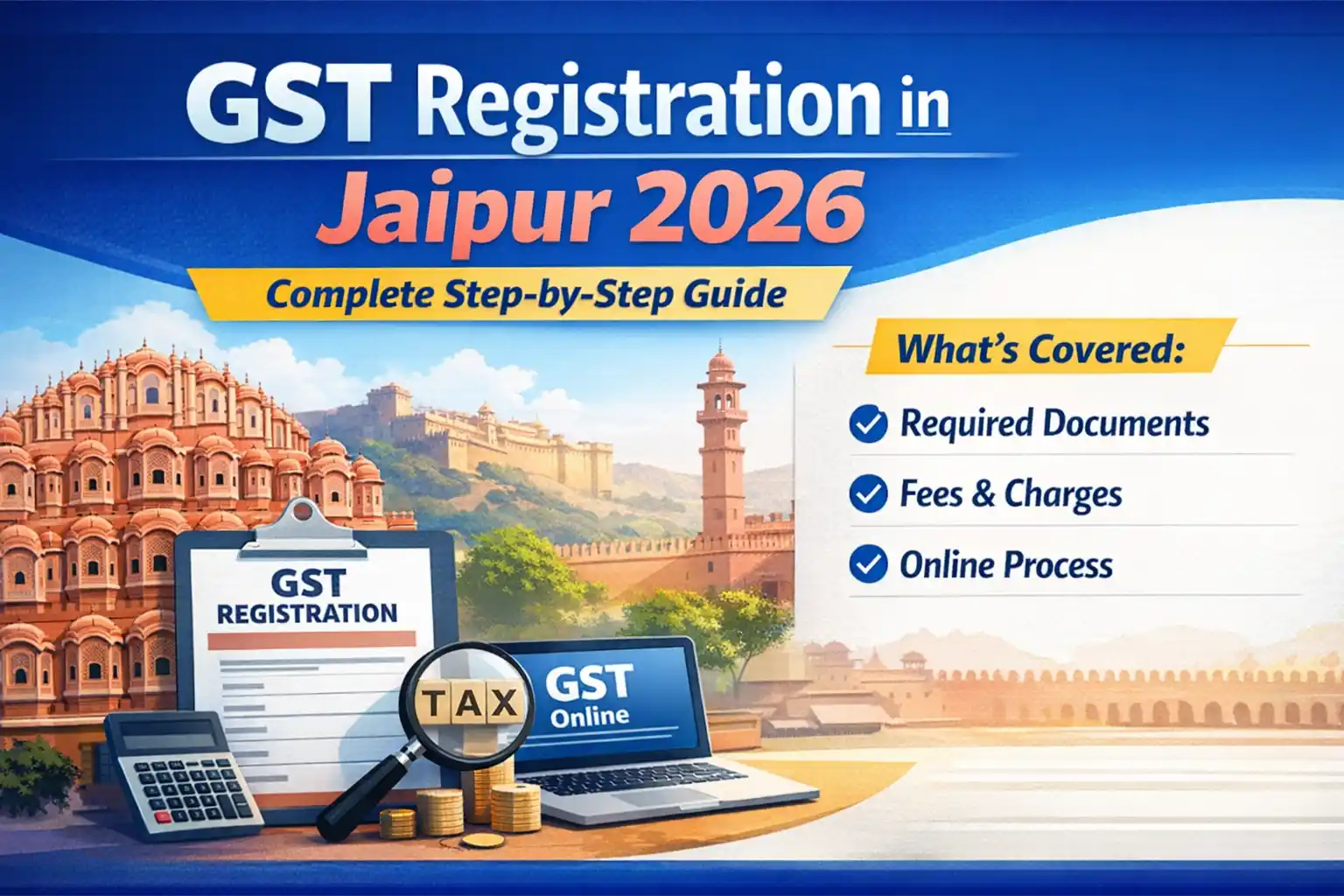
GST Registration in Jaipur 2026: Complete Step-by-Step Guide (Documents, Fees, Online Process)
If you're running a business in Jaipur and wondering how to complete GST registration in Jaipur 2026, this guide is exclusively for you.
डेली 100 बचाकर बनाएं 2.14 लाख! पोस्ट ऑफिस की इस जबरदस्त स्कीम का फायदा उठाएं! | Post Office RD Scheme In Hindi

Home Loan: 20 साल का लोन सिर्फ 10 साल में खत्म! सिर्फ 3 आसान ट्रिक्स से बचाएं लाखों का ब्याज
RBI ने घटाया Repo Rate: जानिए अब कितनी सस्ती होगी आपकी EMI और लोन दरें

SBI दे रहा है घर बैठे कमाई का मौका, हर महीने कमाएं 90,000! ऐसे करें अप्लाई
I've helped hundreds of businesses with GST registration over the past 10 years. And let me tell you - most people make one critical mistake.
- Do You Actually Need GST Registration? (2026 Updated Rules)
- Turnover Threshold Limits 2026
- Which Businesses Must Register Compulsorily?
- Decision Flowchart: Should You Register?
- Benefits of GST Registration in Jaipur
- Claim Input Tax Credit
- Boost Business Credibility
- Interstate Sales Made Easy
- Participate in Government Tenders
- Documents Required for GST Registration (Jaipur 2026)
- For Individual/Proprietor
- For Partnership/LLP
- For Private Limited Company
- Document Quality Tips (Avoid Rejection)
- Step-by-Step: GST Registration in Jaipur 2026 (Online Process)
- Step 1: Visit GST Portal
- Step 2: OTP Verification (Mobile + Email)
- Step 3: Get TRN (Temporary Reference Number)
- Step 4: Fill Form (Part A & Part B)
- Step 5: Upload Documents
- Step 6: Aadhaar Authentication
- Step 7: Verification and Submit
- Step 8: Track ARN
- Step 9: Download GSTIN Certificate
- GST Registration Fees and Processing Time
- Government Fees (How Much?)
- CA/Consultant Charges in Jaipur
- How Long to Get GSTIN?
- Common Mistakes That Get Registration Rejected
- Mistake 1: Document Mismatch
- Mistake 2: Address Proof Issues
- Mistake 3: Bank Account Problems
- Mistake 4: Photo/Signature Quality
- Mistake 5: Wrong HSN/SAC Code Selection
- Mistake 6: Inaccessible Mobile/Email
- What to Do After GST Registration in Jaipur?
- First GST Return Filing
- Invoice Format Setup
- Remember Compliance Calendar
- DIY or Hire CA? (Honest Comparison)
- Pros of Doing It Yourself
- Cons of Doing It Yourself
- Pros of Hiring CA
- Cons of Hiring CA
- My Recommendation
- FAQs: GST Registration Jaipur 2026
- Q1: Is office space mandatory for GST registration?
- Q2: What if I don't have Aadhaar?
- Q3: Can I get multiple GSTINs with same PAN?
- Q4: Registration got rejected, what now?
- Q5: Can GST number get cancelled?
- Q6: What is Composition Scheme?
- Q7: Where are GST Suvidha Kendras in Jaipur?
- Q8: What happens if I don't file returns?
- Conclusion & Next Steps
They jump straight to the portal without preparation and start filling forms. Then documents get rejected. ARN gets stuck. And months of back-and-forth begins.
Today I'll share everything that nobody else has told you.
Do You Actually Need GST Registration? (2026 Updated Rules)
This is the first question you should ask.
Because not every business needs GST registration.
Turnover Threshold Limits 2026
Goods (selling products):
- ₹40 lakh annual turnover in normal states
- ₹20 lakh in special category states (Rajasthan is a normal category state)
Services (providing services):
- ₹20 lakh annual turnover
- This limit applies in Rajasthan
But pay attention: Even if your turnover is below these limits, registration might be compulsory.
Which Businesses Must Register Compulsorily?
I've seen people get confused here.
Regardless of turnover, these businesses MUST get GST:
✓ Interstate sales (supplying goods outside Rajasthan) ✓ E-commerce platform sellers (Amazon, Flipkart, Meesho) ✓ Online services to other states ✓ Casual taxable person (temporary business) ✓ Input service distributor ✓ Reverse charge mechanism applicable ✓ Agent/Supplier of online information database
Example: A cloth wholesaler in Jaipur has turnover of just ₹25 lakh. But he supplies to Delhi retailers too. He must get GST registration. Threshold limit won't help him.
Decision Flowchart: Should You Register?
If YES to any, proceed with registration:
- Crossed turnover threshold?
- Doing interstate business?
- Selling on e-commerce?
- Need input tax credit?
- Taking supply from registered dealers?
If all answers are NO: You don't need registration right now. But you can take voluntary registration (benefits explained below).
Benefits of GST Registration in Jaipur
Let me be clear - GST isn't just about tax.
It legitimizes your business.
Claim Input Tax Credit
This is the biggest advantage.
Suppose you bought ₹1,00,000 raw material. Paid ₹18,000 GST on it. Now you sold finished product for ₹2,00,000. Collected ₹36,000 GST.
Without GST registration: You pay full ₹36,000 to government. Plus that ₹18,000 you paid earlier - gone.
With GST registration: ₹36,000 - ₹18,000 = Only ₹18,000 to pay. You get credit for the remaining ₹18,000.
Boost Business Credibility
GSTIN number gives your business a professional look.
In my experience: When I worked with small Jaipur traders - those with GST started getting bigger orders.
Because registered businesses prefer dealing with other registered entities.
Interstate Sales Made Easy
Without GST, you technically cannot sell to other states.
If you want to supply from Jaipur to Mumbai or Delhi - GST is mandatory.
Participate in Government Tenders
Want government contracts?
GSTIN is compulsory. No government department accepts vendors without GST.
Documents Required for GST Registration (Jaipur 2026)
This is where most mistakes happen.
Let me break it down by business type.
For Individual/Proprietor
Owner's documents:
- PAN Card (mandatory)
- Aadhaar Card (for authentication)
- Photograph (recent, white background)
- Mobile number (for OTP)
- Email ID (must be active)
Business premise documents:
- Ownership proof (if you own it)
- Property tax receipt
- Municipality khata copy
- Electricity bill (latest)
- Rent agreement (if rented)
- NOC from owner
- Owner's PAN & Aadhaar
- Rent agreement (notarized)
- Latest rent receipt
Bank account proof:
- Cancelled cheque with pre-printed name
- Bank statement (first page)
- Passbook front page
For Partnership/LLP
Everything like proprietor, plus:
- Partnership deed (registered)
- PAN & Aadhaar of all partners
- Authorization letter (who will apply)
- LLP agreement (for LLP cases)
For Private Limited Company
- Certificate of Incorporation
- MOA & AOA
- Board resolution for GST registration
- PAN & Aadhaar of all Directors
- Authorized signatory proof
Document Quality Tips (Avoid Rejection)
I've seen 80% rejections happen here:
❌ Blurred photos or scanned copies ❌ Address mismatch (different in PAN vs rent agreement) ❌ Old electricity bill (older than 6 months won't work) ❌ Cancelled cheque without printed name ❌ Different spelling in Aadhaar and PAN
Pro Tips from me:
✓ Scan all documents in PDF format ✓ Keep file size under 1 MB ✓ Use color scan (avoid black & white) ✓ Address must be exactly same everywhere ✓ Keep Aadhaar registered mobile active
Step-by-Step: GST Registration in Jaipur 2026 (Online Process)
Now let's start the actual process.
I'll walk you through every step in detail.
Step 1: Visit GST Portal
First, go to www.gst.gov.in
Click "Services" on homepage, then "Registration." Select "New Registration."
Important: Don't use any third-party websites. Only the official portal is safe.
Step 2: OTP Verification (Mobile + Email)
Part-A form will open.
Fill in:
- Your PAN number
- Mobile number
- Email ID
- Business constitution type (Proprietor/Partnership/Company)
- State (select Rajasthan)
- District (select Jaipur)
Enter captcha and click "Proceed."
OTP will come to your mobile and email. Enter both.
Step 3: Get TRN (Temporary Reference Number)
After verification, you'll receive TRN.
This is a 15-digit number. Save it.
You'll get an email link - "Complete your application."
Important: With TRN, you get 15 days to complete the application. Otherwise, you'll have to start over.
Step 4: Fill Form (Part A & Part B)
Click the TRN link and login.
In Part-A: Verify all basic details are correct.
In Part-B, fill:
Business details:
- Trade name (your business name)
- Constitution (what you selected earlier)
- Complete address of principal place of business
- Nature of business (Manufacturing/Trading/Service)
- HSN/SAC code of goods/services
- Last year's turnover details
Promoters/Partners details:
- PAN, Aadhaar, mobile, email of all
- Upload photograph
- Residential address
Bank account details:
- Account number
- IFSC code
- Branch name
- Account type (Current recommended)
Authorized signatory:
- Who will sign GST returns
- Their Aadhaar authentication
Step 5: Upload Documents
Now upload verification documents.
Upload:
- Photograph (JPG, max 100 KB)
- PAN Card (PDF, max 100 KB)
- Aadhaar Card (optional but recommended)
- Business address proof (PDF, max 1 MB)
- Bank account proof (PDF, max 1 MB)
- Authorization letter (if applicable)
- Constitution documents (Partnership deed/MOA-AOA)
My suggestion: Keep all documents ready beforehand. Upload can fail midway.
Step 6: Aadhaar Authentication
Now comes the most important step.
Aadhaar authentication can happen two ways:
Option 1: OTP-based
- OTP will come to Aadhaar registered mobile
- Enter and verify
- This is the quickest method
Option 2: Biometric
- Visit nearest GST Suvidha Kendra
- Multiple centers in Jaipur
- Fingerprint/Iris scan required
Pro tip: If mobile is updated in Aadhaar, use OTP method. It's faster.
Step 7: Verification and Submit
After filling everything:
Click "Preview" button to check entire form. If any error, fix using "Edit."
Now "Submit with DSC/EVC."
DSC (Digital Signature): Mandatory for Companies.
EVC (E-Verification Code): For Individuals/Proprietors. Generate EVC via Aadhaar OTP or Net Banking.
After submission, you'll get ARN (Application Reference Number).
Step 8: Track ARN
ARN is your application's tracking number.
On GST Portal: "Services" > "Registration" > "Track Application Status" Enter ARN to check status.
Timeline:
- Normal cases: 3-7 working days
- If queries raised: 7-15 days
- Complex cases: 15-21 days
If clarification is asked: Notice will appear on portal. Email too. Reply within 7 days or application gets rejected.
Step 9: Download GSTIN Certificate
When approved, you'll get an email.
Login to portal: "Services" > "User Services" > "View/Download Certificate"
Certificate contains:
- Your 15-digit GSTIN
- Legal name of business
- Trade name
- Principal place of business
- Date of registration
- Constitution type
Download and print this certificate. Good to display at your business premise.
GST Registration Fees and Processing Time
People often ask - "How much will it cost?"
Government Fees (How Much?)
Want the truth?
There's zero government fee for GST registration.
It's a completely free process.
But there are some indirect costs:
DSC (Digital Signature Certificate):
- Mandatory for Companies
- Cost: ₹1,000 - ₹2,000 (2 years validity)
- Not needed for Proprietors
Notary/Attestation:
- Rent agreement notary: ₹200-500
- Document attestation: ₹100-300 per document
Total out-of-pocket: For Proprietor: ₹500-1,000 For Company: ₹2,000-3,000
CA/Consultant Charges in Jaipur
If you don't want to do it yourself, hire a CA.
Typical charges in Jaipur:
- Proprietorship: ₹1,500 - ₹3,000
- Partnership/LLP: ₹2,500 - ₹5,000
- Private Limited: ₹3,000 - ₹7,000
My opinion: If you're somewhat tech-savvy and documents are ready, do it yourself. Save money and understand the process.
But if you're busy or not confident, hire a CA. Saves time.
How Long to Get GSTIN?
Ideal scenario:
- Application submitted
- All documents perfect
- 3-7 working days approval
Real scenario: Most cases take 7-10 days.
If queries come: Can extend to 15-21 days.
In my experience: Jaipur GST office normally approves in 5-7 days. Provided documents are perfect.
Common Mistakes That Get Registration Rejected
Here are mistakes I've seen hundreds of times.
Mistake 1: Document Mismatch
Biggest problem: Address in PAN is different. Rent agreement shows something else.
Solution: Address must be exactly same everywhere. Comma, spelling, pin code - everything must match.
Mistake 2: Address Proof Issues
Mistakes:
- Electricity bill 6 months old
- No owner signature in NOC
- Rent agreement not notarized
Solution: Use latest bill (not older than 3 months). Get rent agreement properly notarized. Owner's NOC must be clear and signed.
Mistake 3: Bank Account Problems
Mistakes:
- Plain white cheque (no printed name)
- Savings account (Current is recommended)
- Account in someone else's name
Solution: Cancelled cheque must have pre-printed name. Open current account in business name. If new account, attach bank statement.
Mistake 4: Photo/Signature Quality
Mistakes:
- Blurred photo
- Casual photo (with sunglasses, cap)
- Scribbled signature
Solution: Recent passport-size photo (white background). Clear, professional look. Keep signature consistent (same everywhere).
Mistake 5: Wrong HSN/SAC Code Selection
Mistake: Selecting wrong product/service code.
Solution: Find correct HSN code for your product. GST portal has search option. If confused, confirm with a CA.
Mistake 6: Inaccessible Mobile/Email
Mistake: Giving old mobile number that doesn't work anymore.
Solution: Give number and email you check regularly. ARN and updates will come here.
What to Do After GST Registration in Jaipur?
Congratulations! You got your GSTIN.
Now what?
First GST Return Filing
After registration, you need to file returns.
For small businesses (turnover < ₹5 crore):
- GSTR-1: Sales return (monthly/quarterly)
- GSTR-3B: Summary return (monthly)
Due dates:
- GSTR-1: 11th of next month (quarterly in quarterly scheme)
- GSTR-3B: 20th of next month
My suggestion: File first 2-3 returns with CA help. Once you understand the process, do it yourself.
Invoice Format Setup
Now you need to create GST-compliant invoices.
Invoice must contain:
- Your GSTIN
- Customer's GSTIN (if registered)
- Invoice number (sequential)
- Date
- HSN/SAC code
- Taxable amount
- GST rate and amount (CGST/SGST or IGST)
- Total amount
Software recommendation:
- Tally (popular in Jaipur)
- Zoho Books
- ClearTax
- Or government's free utility
Remember Compliance Calendar
Monthly:
- GSTR-3B: By 20th
Quarterly (small businesses):
- GSTR-1: 13th of month following quarter end
Annually:
- GSTR-9: Annual return (by 31st December of next year)
Pro tip: Set reminders on your phone. Late filing attracts penalties.
DIY or Hire CA? (Honest Comparison)
Every new business owner has this question.
Let me give you an honest comparison.
Pros of Doing It Yourself
✓ Save money (₹2,000-5,000) ✓ Understand the complete process ✓ Can handle it yourself in future ✓ Better understanding of documents
Cons of Doing It Yourself
✗ Takes time (4-6 hours minimum) ✗ If mistake happens, rejection ✗ Technical terms can confuse ✗ Stress if queries come
Pros of Hiring CA
✓ Saves time ✓ Expert handling ✓ Lower chances of error ✓ They'll manage updates and compliance
Cons of Hiring CA
✗ Cost (₹2,000-7,000) ✗ Creates dependency ✗ You don't learn the process ✗ Need to call CA for every small thing
My Recommendation
If you are:
- Starting business for first time
- Documents are ready and correct
- Somewhat comfortable with computers
- Can spare the time
Then do it yourself.
Follow this guide. Do each step carefully. You'll get it.
But if:
- Multiple businesses
- Company registration
- Very busy schedule
- Want 100% certainty
Then hire a CA.
Consider it an investment. You'll get peace of mind.
FAQs: GST Registration Jaipur 2026
Q1: Is office space mandatory for GST registration?
Answer: No, physical office is not mandatory. You can register using home address.
Just need proper ownership or rent proof.
Q2: What if I don't have Aadhaar?
Answer: Aadhaar authentication is mandatory in 2026.
If you don't have it, get Aadhaar made first. Then apply for GST.
Q3: Can I get multiple GSTINs with same PAN?
Answer: Yes, you can.
If you have businesses in different states, you need separate GSTIN for each state.
Q4: Registration got rejected, what now?
Answer: Check rejection reason on portal.
Correct documents and submit fresh application. You'll get new TRN.
Q5: Can GST number get cancelled?
Answer: Yes, it can if:
- Continuous non-filing of returns
- Business closed down
- Applied for voluntary cancellation
Q6: What is Composition Scheme?
Answer: Simple scheme for small businesses.
If turnover < ₹1.5 crore, you can opt. Lower tax rate, but no input credit.
Q7: Where are GST Suvidha Kendras in Jaipur?
Answer: Multiple centers in Jaipur:
- Malviya Nagar
- Vaishali Nagar
- C-Scheme
- Mansarovar
Search "GST Suvidha Kendra Jaipur" on Google Maps.
Q8: What happens if I don't file returns?
Answer: Late fees: ₹50/day (CGST) + ₹50/day (SGST) = ₹100/day
Maximum ₹5,000 per return.
Plus interest on tax amount.
Conclusion & Next Steps
So friends, this was the complete guide on GST registration in Jaipur 2026.
I've shared everything I learned in 10 years.
Here's what you need to do now:
Step 1: Check your documents. Everything ready?
Step 2: Follow the checklist above. Don't miss any document.
Step 3: Go to GST portal and start registration.
Step 4: Do each step carefully. Don't rush.
Step 5: After getting ARN, keep tracking.
If any problem comes: Portal has helpdesk number. You can call. Or visit nearest GST Suvidha Kendra.
My final advice: Registration is a one-time thing.
Real challenge is - maintaining regular compliance.
File returns on time. Create invoices properly. Keep records.
GST isn't just about tax. It's a way to professionalize your business.
All the best! 🚀