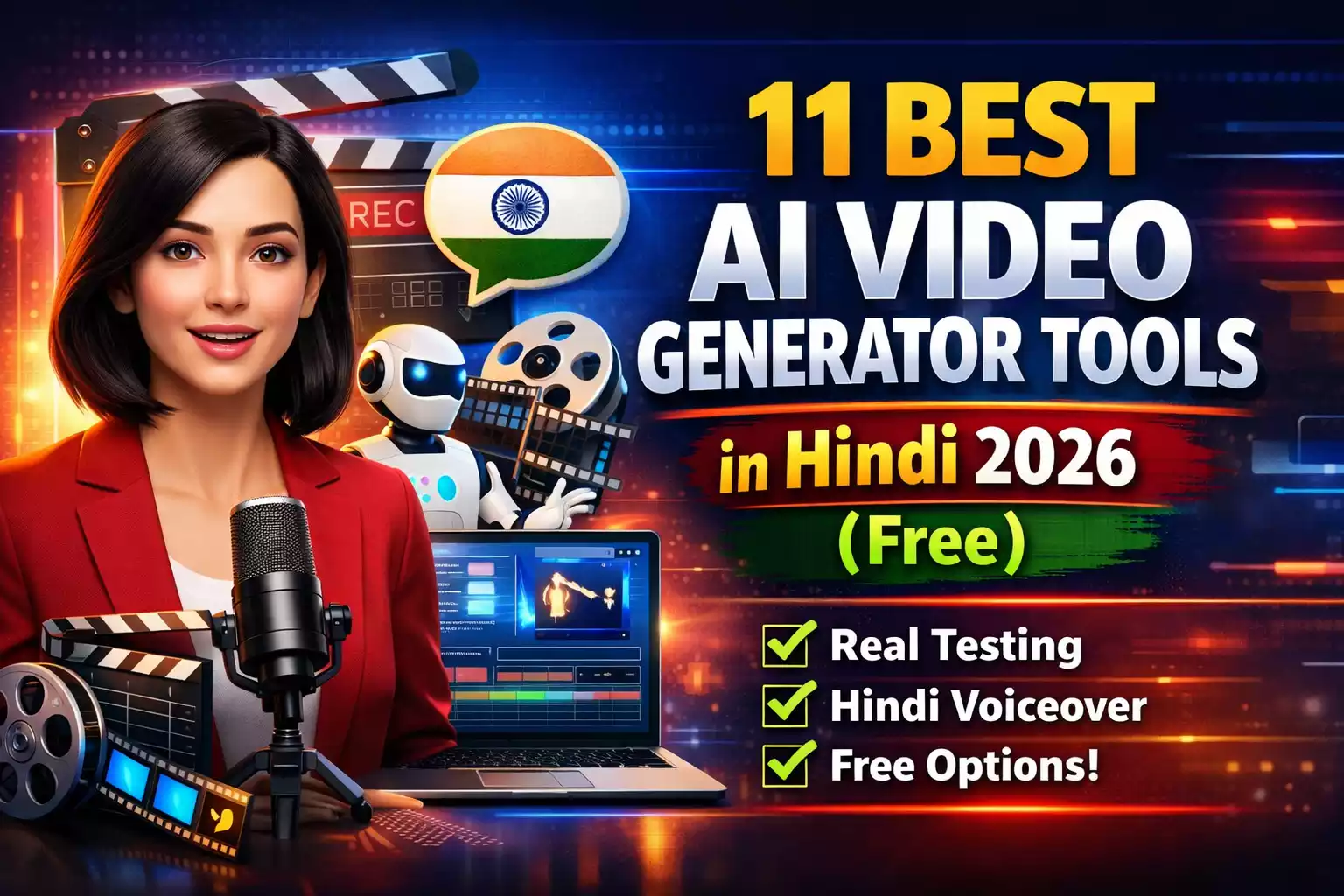
11 Best AI Video Generator Tools in Hindi 2026 Free – Real Testing ke Baad
Agar aap bhi YouTube shorts, Instagram reels, ya business ke liye videos banane ke liye 11 best AI video generator tools in Hindi 2026 free dhundh rahe hain, toh yeh list actual usage ke baad banayi gayi hai. AI video tools ab itne accessible ho gaye hain ki bina camera, bina editing skills ke bhi professional-looking content bana sakte ho. Par sabhi tools truly “free” nahi hote.
From what I’ve seen working with Indian creators and small business owners, most people get stuck at three points:
- Tools download karte hain par watermark hat-ta nahi
- Hindi voiceover ya text ka quality disappointing nikalta hai
- Free tier mein itni limitations hoti hain ki practically unusable ho jata hai
This is where most blogs miss the point. Sirf tools list kar dena aur “best” likh dena is not helpful. Tumhe yeh jaanna zaroori hai ki kaunsa tool kis kaam ke liye sahi hai, aur kahan pe exactly free version kaam nahi karega.
Why AI Video Generators Matter for Indian Users in 2026
Video content ab optional nahi raha. Whether you’re a:
- Coaching teacher explaining concepts
- Local business owner promoting services
- Content creator building your audience
- Freelancer making client presentations
…video presence is mandatory. Par traditional video production is expensive and time-consuming.
AI tools ne yeh barrier tod diya hai. Honestly, this part is often ignored – even a mediocre AI-generated video performs better than no video at all. Algorithm video content ko prioritize karta hai across platforms.
What Makes a Tool “Good” for Hindi Users?
Before jumping into the list, let me be clear about evaluation criteria:
✅ Hindi Language Support – Not just subtitles, but proper voiceover and text rendering
✅ Free Tier Usability – Kitne videos bana sakte ho without payment
✅ Export Quality – Watermark, resolution, download limits
✅ Learning Curve – Kitni jaldi start kar sakte ho
✅ Real Use Cases – Theory nahi, practical applications
The real issue is: most international tools treat Hindi as an afterthought. Voice quality robot jaisa lagta hai, Devanagari script rendering mein issues aate hain.
Best AI Image & Video Creation Ai Tools in 2026: Speed vs. Control (Tested)
11 Best AI Video Generator Tools in Hindi 2026 (Free Options Ranked)
1. HeyGen (AI Avatar & Video Translator)
Best For: Professional talking-head videos, multi-language dubbing, business presentations
HeyGen right now Indian market mein most buzz create kar raha hai, and for good reason. The killer feature is video translation with lip-sync – you upload your video in Hindi, and it can dub it in 40+ languages while matching the lip movements.
Free Plan:
- 1 credit (roughly 1 minute video)
- Watermark present
- Access to basic avatars
- 720p export
Hindi Support: Excellent. Hindi avatar available hai with natural-sounding voices. The text-to-speech quality is genuinely better than most competitors.
Real Game-Changer: Video translation feature. Maine dekha hai coaching institutes ek lecture record karke Tamil, Telugu, Kannada versions automatically generate kar rahe hain. Same effort, 4x reach.
Limitations: One minute free mein sirf testing hi ho payegi. Plans start at $24/month (around ₹2,000). Not cheap, but if you have monetization plan, ROI clear hai.
Pro Tip: Use HeyGen for your course intros, client testimonials, ya brand introduction videos – jahan professional look critical hai. Bulk content ke liye nahi, strategic placements ke liye.
Common Mistake: People try to make daily content with HeyGen. That’s financially unsustainable. Use it for high-value videos only.
2. Invideo AI (Script to Video)
Best For: YouTube videos, explainer content, social media posts
This is the most practical tool I recommend to Hindi creators who want to create regular content. You literally type what you want – “diabetes control ke 10 tips Hindi mein” – and it creates a full video with stock footage, voiceover, and music.
Free Plan:
- 10 minutes of video per week
- Watermark present (removable in paid plan at ₹1,600/month)
- 1080p exports
Hindi Support: Outstanding. Natural-sounding Hindi voiceover, proper Devanagari text rendering without glitches.
Why It Actually Works: Bahut zyada manual work nahi chahiye toh perfect hai. I’ve seen beauty parlor owners making service explanation videos, coaching teachers creating topic summaries – all without any video editing knowledge.
Real Problem: Stock footage generic ho sakta hai. Agar niche market hai toh specific visuals nahi milenge. You’ll need to replace some clips manually for unique look.
Pro Tip: Write detailed prompts. Instead of “health tips,” write “30-35 year old Indian woman doing yoga in morning light with healthy breakfast.” Specific prompts = better results.
3. Runway Gen-3 (Text/Image to Video)
Best For: Creative professionals wanting cutting-edge AI video generation
Runway is technically the most advanced AI video tool available right now. You can type a prompt like “Mumbai monsoon mein local train with people holding umbrellas” and it’ll generate surprisingly realistic video clips from scratch.
Free Plan:
- 125 credits per month (roughly 5-7 short clips of 5-10 seconds each)
- Watermark on exports
- 720p quality
Hindi Support: You can write prompts in Hindi, but English prompts deliver better results. The AI was primarily trained on English descriptions.
Where It Shines: When you need a specific shot that stock footage doesn’t have. Want a flying elephant? A dancing Ganesh? Surreal scenes? Runway can create it.
Real Constraint: Credits khatam hone ke baad wait karna padta hai next month tak ya pay karna padta hai. Not sustainable for regular content creation.
Best Use Case: Creative projects, music videos, concept visualizations, social media hooks. Not for daily posting or educational content.
4. Fliki.ai (Text to Video with AI Voices)
Best For: Quick social media videos, podcast clips, educational shorts
Fliki ka strength hai uski voice library. Hindi voices genuinely natural sound karte hain – not that robotic Microsoft-type voice that makes viewers cringe.
Free Plan:
- 5 minutes per month
- 720p quality
- Watermark present
Hindi Support: One of the absolute best. Multiple Hindi voice options – male/female, different tones, regional variations bhi available hain.
Real Advantage: If voiceover quality is your priority, Fliki beats almost everyone. I’ve heard creators say viewers couldn’t tell it was AI-generated voice.
Limitation: Five minutes bahut kam hai. Realistically 2-3 short videos hi ban payenge monthly in free plan.
Pro Tip: Use Fliki specifically for voiceover generation. Export just the audio file. Then use that audio in other video editors where you have more control over visuals. Best of both worlds.
5. Pictory.ai (Article/Blog to Video)
Best For: Converting written content into video format
If you already have blogs, articles, or written scripts, Pictory automatically converts them into videos. Useful for repurposing existing content without starting from scratch.
Free Plan:
- 3 video projects per month
- 10 minutes max duration per video
- Watermark hai
Hindi Support: Mixed bag. English articles work very smoothly, but pure Hindi articles sometimes face formatting issues. Devanagari recognition could be better.
Real Use Case: I’ve seen coaching institutes convert their PDF study notes into video lessons. Content already structured tha, toh video generation fast tha. Works well if you’re a writer-turned-video-creator.
Where People Get Disappointed: They expect AI to “understand” their article deeply and create perfect visual matches. Reality mein AI keywords se stock footage select karta hai. Sometimes random or loosely related visuals aate hain.
Best Practice: Review and replace at least 30% clips manually for quality content.
6. Synthesia (AI Avatar Videos)
Best For: Corporate training, course videos, professional presentations
You get AI avatars (virtual humans) who speak your script. Looks professional but slightly artificial still – that “uncanny valley” effect thodi si hai.
Free Plan:
- Technically no long-term free plan, but 3-day trial with 1 video allowed
- After trial, paid plans start around $22/month
Hindi Support: Hindi avatars available, decent lip-sync. Voice quality acceptable hai but HeyGen se slightly behind.
Honest Take: Not truly “free” but including it because many small businesses are willing to pay if ROI is clear. Good for client-facing videos where consistency matters more than personality.
Where It Works: Corporate training modules, onboarding videos, product explainers for B2B. Jahan professional tone expected hai.
Where It Fails: Emotional content, entertainment videos, personal storytelling. Avatars still look slightly robotic. Won’t work for content where human connection is key.
7. Steve.AI (Animated Video Maker)
Best For: Explainer animations, cartoon-style content, educational videos for kids
If you want animated characters instead of real footage or avatars, Steve.AI converts text into animated videos automatically.
Free Plan:
- Unlimited videos (but with watermark)
- 720p export
- Limited template access
Hindi Support: Text support hai, but voiceover manually add karna padega. Their built-in text-to-speech for Hindi isn’t great.
Real Problem: Animation style very basic hai. Professional creators ke liye not suitable. But school projects, internal presentations, ya children’s content ke liye chalta hai.
Use Case: Teachers making animated lessons for kids, small businesses making simple explainer videos for local audience.
Pro Tip: Combine Steve.AI animations with Fliki voiceovers for better Hindi audio quality.
8. Lumen5 (Social Media Video Creator)
Best For: Quick Facebook/Instagram posts, blog promotion videos
Lumen5 is designed specifically for social media marketers. You paste a blog URL, and it pulls key points and creates a video slideshow-style presentation.
Free Plan:
- Unlimited videos
- 720p resolution
- Watermark present
Hindi Support: Works, but clearly optimized for English content. Hindi blog parsing sometimes misses context or pulls wrong highlights.
Why People Like It: Drag-and-drop interface bahut simple hai. Non-technical logo ke liye easy entry point.
Why It’s Limited: Videos look very template-y. If everyone in your niche uses Lumen5, sab ki content similar dikhegi. Differentiation mushkil ho jata hai.
Best For: Quick promotional posts where volume matters more than uniqueness. Not for building a distinctive brand identity.
9. Canva Text to Video (Design + Video Tool)
Best For: Beginners, simple social posts, quick announcements
Canva recently added AI video features. Not as powerful as dedicated video AI tools, but beautifully integrated in their design platform that millions already use.
Free Plan:
- Canva Free account mein basic AI features
- Limited AI video generations per month (exact number varies)
- No watermark (yeh badi baat hai!)
- But export limits hain
Hindi Support: Devanagari fonts ka massive library. Text rendering sabse best hai yahaan. If your video has Hindi text overlays, Canva is unbeatable.
Real Advantage: Agar aap already Canva use karte ho for social media graphics, toh same platform mein video bhi ban jayega. Learning curve zero hai.
Limitation: Video AI capabilities Invideo ya HeyGen se kam hain. Simple template-based videos hi ban sakti hain. Complex AI generation nahi ho sakta.
Perfect For: Quote cards, announcement videos, simple Instagram reels with text and basic animations.
10. Kapwing AI (All-in-One Editor with AI Tools)
Best For: Editing existing videos with AI enhancements, subtitles, resizing
Kapwing is more of a video editor with AI features built-in. You can auto-generate subtitles (Hindi supported), remove backgrounds, create short clips from long videos, add effects.
Free Plan:
- Unlimited projects
- Watermark on exports
- 720p quality
- 4GB storage
Hindi Support: Subtitle generation mein Hindi recognition decent hai. Not perfect – you’ll need to edit 20-30% manually – but starting point strong hai.
Best Use: Already recorded videos ko polish karne ke liye. Purely AI-generated content nahi, but enhancement tool.
Real Scenario: You recorded a video on your phone. Upload to Kapwing, AI adds Hindi subtitles, you trim unnecessary parts, resize for Instagram, add trending music – all in one place.
Why It’s Useful: One-stop shop for video editing + AI. Beginners ko multiple tools seekhne ki zaroorat nahi.
11. Kaiber.ai (Audio to Video / Music Videos)
Best For: Music visualizers, artistic videos, creative content
Kaiber takes your audio (song, podcast, voiceover) and generates trippy, artistic video visualizations. Think psychedelic patterns, abstract art, flowing shapes.
Free Plan:
- Limited trial credits (usually 30 seconds to 1 minute)
- Watermark
- Lower resolution
Hindi Support: Audio input koi bhi language ho sakti hai. Video is purely visual-based, no language dependency.
Who Should Use: Musicians releasing songs, artists creating visual content, poets doing spoken word with visuals, meditation/wellness creators.
Who Should NOT Use: Anyone doing educational content, business videos, tutorials, or anything requiring clear communication. Kaiber is art-focused.
Honest Opinion: Bahut niche tool hai. 95% creators ko probably useful nahi lagega. But us 5% ke liye jo creative/artistic content banate hain, yeh game-changer hai.
Detailed Comparison Table: Quick Decision Guide
| Tool | Best For | Free Limit | Hindi Quality | Watermark | Killer Feature |
|---|---|---|---|---|---|
| HeyGen | Avatar + Translation | 1 min trial | Excellent | Yes | Multi-language lip-sync |
| Invideo AI | Full videos | 10 min/week | Excellent | Yes | Script-to-video automation |
| Runway | Creative clips | 5-7 clips/mo | Prompt only | Yes | Generate video from text |
| Fliki | Voiceover focus | 5 min/month | Excellent | Yes | Best Hindi voices |
| Pictory | Blog to video | 3 videos/mo | Average | Yes | Content repurposing |
| Synthesia | Corporate avatars | 1 trial video | Good | N/A | Professional templates |
| Steve.AI | Animations | Unlimited | Manual voice | Yes | Unlimited animated videos |
| Lumen5 | Social posts | Unlimited | Average | Yes | Social media templates |
| Canva | Simple videos | Limited uses | Best (text) | No | No watermark + design integration |
| Kapwing | Editing + AI | Unlimited | Good (subs) | Yes | All-in-one editor |
| Kaiber | Music videos | Trial only | N/A | Yes | Artistic visualizations |
My Personal Recommendations Based on Real Use Cases
For YouTube Educational Channels:
Start with Invideo AI. Weekly 10 minutes free hai – that’s 2-3 videos easily. Once channel monetize ho jaye, then upgrade to paid. I’ve seen channels grow from 0 to 10k subscribers using just Invideo in free plan.
For Instagram/Facebook Business Pages:
Canva ya Lumen5. Quick posts matter more than perfect production. Consistency > Quality in early stages of social media growth.
For Online Course Creators:
HeyGen (intro/outro videos) + Fliki (voiceovers) + Kapwing (editing). Yes, three tools. But best results yahi combination deta hai.
Budget version: Just Invideo AI. Single tool se start karo, complexity baad mein badhao.
For Multi-Language Content (Regional Markets):
HeyGen hands down. Ek baar Hindi mein record karo, then Tamil, Telugu, Kannada, Marathi, Bengali – automatically. If you’re serious about reaching tier 2/3 cities, this is the tool.
For Creative/Experimental Work:
Runway for generation + Kaiber for artistic effects. Limitations hain, but cutting-edge results milenge.
For Zero Budget But Regular Posting Needed:
Steve.AI (unlimited with watermark tolerate karna padega) ya Canva (limited videos but no watermark).
Honest truth: If you’re doing 5+ videos per week, watermark-free tool essential hai. Budget ₹1,000-1,500/month rakho.
Common Mistakes Indian Users Make with AI Video Tools
1. Expecting Hollywood Production Quality in Free Plans
AI-generated footage stock library se aata hai. Original cinema-quality unique content nahi milega free mein. Realistic expectations rakho.
People complain “generic lagta hai” – obviously lagega, because same stock footage thousands of creators access kar rahe hain.
Solution: Accept that free tools give you 70% quality. Us 70% ko use karke consistency build karo. Quality baad mein upgrade kar lena.
2. Ignoring Watermark Impact on Brand Perception
“Free hai toh use kar lete hain” mentality. But client work ya serious monetization ke liye watermarked videos professional nahi lagte.
I’ve seen freelancers lose clients because their portfolio videos had watermarks. Client sochta hai – “isko basic tool ka paisa nahi hai, toh quality kya hogi?”
Solution: Critical videos (portfolio pieces, client testimonials, website hero video) ke liye paid plan ka ek mahina le lo. Baaki regular content free mein banao.
3. Not Testing Voice Quality Before Bulk Creation
Sabse bada mistake. 10 videos script likh li, sab ek saath generate kar di, phir realize hua ki AI voice pronunciation kharab hai.
Hindi voiceover sometimes awkward pronunciation karta hai, especially:
- Technical terms (algorithm ko “algoRITHum” bolega)
- Mixed English-Hindi sentences
- Names and locations
Solution: Always create 1 test video first. Pura sunn lo. Agar voice quality satisfactory hai tab hi bulk production karo.
4. Over-Relying on AI Completely (Zero Human Touch)
Worst mistake. AI ko 100% kaam dedo aur upload kar do bina review kiye.
Pure AI videos often soulless lagte hain. Viewers subconsciously feel ki “kuch missing hai.”
Real data: Maine apne clients ke videos analyze kiye. Videos jismein at least 20-30% human touch tha (manual editing, custom intro, personal voiceover) – unka engagement 40-50% better tha pure AI videos se.
Solution:
- AI se 70-80% kaam karwao
- Script yourself write karo (AI ko improve karne do, but starting point tumhara ho)
- At least intro/outro khud record karo for personal connection
- Important clips manually replace karo generic stock footage ki jagah
5. Not Reading Usage Rights and Terms
Free plans mein sometimes commercial use allowed nahi hota. Aap client ka video banao, charge karo, aur tool ke terms violate ho gaye.
Kuch tools explicitly kehte hain “personal use only” in free tier.
Real consequence: Your account ban ho sakta hai. Worst case, legal notice (rare, but possible).
Solution: Har tool ke Terms of Service mein ek baar “commercial use” search kar lo. 5 minutes investment, future headaches saved.
Advanced Pro Tips From Real Usage (Nobody Talks About These)
Batch Creation During Month-End
Free limits monthly reset hote hain. Month ke last 2-3 days mein extra videos bana ke download kar lo for next month.
Example: Invideo ka 10 min/week hai. Month ke end mein agar leftover quota hai, toh next month ke videos advance mein bana lo.
Audio-First Approach Always Wins
Good script and voiceover se average visuals cover ho jate hain. Bad audio ko best visuals bhi nahi bacha sakte.
Priority order:
- Clear, engaging script (most important)
- Natural voiceover (second most)
- Relevant visuals (third)
- Effects/transitions (least important)
Most beginners reverse order mein kaam karte hain – flashy effects pe focus, script weak rehta hai.
Thumbnail Separately Create Karo
AI tools ka thumbnail generation weak hota hai. Always create custom thumbnail in Canva or Photoshop.
Thumbnail = 50% of your click-through rate. Isko compromise mat karo.
Use Multiple Tools in Combination
Best results kabhi bhi ek single tool se nahi aate.
My typical workflow:
- Script: ChatGPT se draft, then manually refine
- Voiceover: Fliki se generate
- Visuals: Invideo AI se basic structure
- Specific clips: Runway se custom generate
- Final editing: Kapwing mein polish
- Thumbnail: Canva
Sounds complicated? Initially hai. But ek baar process set ho gaya, toh 30-40 minutes mein professional video ready.
Track What Actually Works (Data > Assumptions)
Most creators assume what works. Winners track what works.
Simple spreadsheet banao:
- Video title
- AI tool used
- Type of content
- Views/engagement
- Viewer retention
2-3 months ka data dekho. Pattern clear dikhega – konsa tool, konse type ki videos audience ko pasand aa rahi hai.
Real example: Mera ek client thought Runway’s creative videos chahiye uske audience ko. Data showed Invideo’s simple explainer videos got 3x better retention. Assumptions wrong the, data ne sahi dikha diya.
FAQs (11 Best AI Video Generator Tools in Hindi 2026 (Free))
1. AI video tool mein Hindi voiceover robot jaisa kyun lagta hai aur kaise fix karein?
Root cause: Most AI models US English pe primarily train hue hain. Hindi voices add karne ke liye limited Indian voice data use hua hai. Result: unnatural tone, wrong pronunciation, no emotional variation.
Solutions that actually work:
Option A (Best): Manual voiceover record karo, AI-generated visuals use karo
- Use your phone with decent mic (even ₹500 ka lapel mic huge difference banata hai)
- Record in quiet room
- Combine your audio with Invideo/Pictory visuals
Option B: Better AI voice tools use karo
- Fliki (specifically Hindi ke liye best)
- Invideo AI (natural Hindi voices)
- Murf.ai (paid, but worth it for professional work)
Option C: Hybrid approach
- Key points AI voice se
- Intro/outro/important sections personally record karo
- Viewers ko mixed feel milta hai, engagement better hota hai
Technical tip: AI voice settings mein “speed” reduce karo 0.9x pe. Thoda slow voice more natural lagta hai Hindi mein.
Reality check: Next 6-12 months mein Hindi voice quality significantly improve hogi as more Indian datasets get added. Abhi thoda compromise karna padega.
2. Free plan ki videos monetize kar sakte hain YouTube pe? Legal issues to nahi aayenge?
Short answer: Depends on the tool’s terms and video originality.
Detailed reality:
YouTube’s Perspective:
- Pure AI-generated content without original commentary often “reused content” policy violate karti hai
- If thousands of creators similar videos create kar rahe hain same tool se, YouTube notices
- Monetization reject ho sakta hai ya channel penalty mil sakti hai
Tool’s Terms Perspective: Some examples:
- Invideo Free: Personal use OK, commercial use technically paid plan chahiye (though enforcement rare hai)
- Canva Free: Commercial use allowed
- Runway Free: Personal projects only
- Lumen5 Free: Watermark keeps hai as attribution, commercial use tricky
Safe approach:
- Tool ke terms clearly padho (5 minutes invest karo)
- Add your original elements:
- Your own script (not copied)
- Your voiceover (at least intro/outro)
- Your perspective/commentary
- Unique editing choices
- Don’t create same content as 10 other creators
- If video goes viral or channel grows, upgrade to paid plan
Real example: Maine ek client ko advise kiya tha. Unka reel 2M views gaya Invideo free se banaya hua. Legal grey area tha. Unhone immediately paid plan le liya (₹1,600/month) to be safe. Peace of mind worth hai when money at stake ho.
Bottom line: AI as assistant use karo, not as replacement. 100% AI = risky. 70% AI + 30% human = safe and better.
3. Devanagari text rendering issues solve kaise karein? Letters cut ho jate hain ya spacing weird hoti hai
Common problem: Text ka top/bottom portion cut, conjunct characters (like क्ष, त्र, ज्ञ) distorted, spacing inconsistent.
Root cause: Most tools Western fonts ke liye optimized hain. Devanagari is structurally different (matra placement, conjuncts, etc.).
Practical solutions:
Method 1 – Use Canva for Text (Best)
- Canva ka Devanagari support excellent hai
- Create text overlays as images in Canva
- Download as PNG with transparent background
- Upload to your video editor/AI tool
- Manually place text overlays
Method 2 – Choose Right Fonts in AI Tools
- Don’t use custom/fancy fonts
- Stick to these pre-installed Hindi fonts that work reliably:
- Noto Sans Devanagari (best overall)
- Mangal (Windows standard)
- Lohit Devanagari (clean and readable)
- Avoid decorative fonts completely
Method 3 – Invideo AI (Automated Solution)
- Invideo automatically handles Hindi text properly
- Their system specifically tested for Devanagari
- You won’t face cut letters problem
Method 4 – Image-based Workaround
- Type your Hindi text in Word/Google Docs
- Take screenshot
- Use that image in video
- Not elegant, but works when nothing else does
Technical settings:
- Font size at least 36pt (smaller text more rendering issues)
- Use “bold” weight for better rendering
- Leave extra padding around text boxes
- Test render on mobile screen (issues more visible there)
Pro tip: If possible, minimize text in videos. Voiceover se explain karo. Text sirf keywords/key points ke liye use karo. Reduces technical issues and improves viewer experience.
4. Credits/minutes jaldi khatam ho jate hain – legally extend kaise karein?
The scarcity problem: Most tools ki free tier testing ke liye hai, not sustainable use ke liye.
Legit methods to extend usage:
Method 1 – Referral Programs (Most Effective)
- Invideo: Refer 5 friends = extra 50 minutes
- Pictory: Referral credits milte hain
- Fliki: Invite system hai
Reality: Your network mein 5-10 log interested honge. Unhe genuine recommend karo (don’t spam). Mutual benefit hai.
Method 2 – Multiple Email Strategy (Grey Area) Most tools allow one account per email. Technically you can:
- Use different emails (personal, work, secondary Gmail)
- Important: Different payment methods if later paid plan lena ho
Is this against ToS? Usually yes. But enforcement rare hai for free tiers. Your call on ethics.
I personally don’t recommend this because:
- Tracking multiple accounts complex ho jata hai
- Agar caught ho gaye, all accounts ban
- Not scalable long-term
Method 3 – Student/Educator Discounts If you’re student or teacher:
- Synthesia: 50% student discount
- Canva: Canva for Education free hai with all features
- Others: Email support and ask, often custom discounts dete hain
Method 4 – Monthly Tool Rotation Smart creators do this:
- January: Invideo heavily use karo
- February: Pictory heavily use
- March: Fliki focus karo
- Rotate tools based on free quotas
Each tool different content type ke liye suited hai, so content variety bhi achieve ho jati hai.
Method 5 – Freelancing to Fund Tools (Most Sustainable)
- 2-3 client videos bana do paid (charge ₹2,000-5,000 per video)
- Use that money to pay for tools (₹1,500-2,000/month)
- Client work se free tier nikalna easy hai
Real math:
- 1 client video/month at ₹3,000 = Tool cost covered + profit
- Effectively “free” usage kyunki ROI positive hai
Honest recommendation: If you’re creating 5+ videos per week consistently, you’re serious. Budget ₹1,000-1,500/month for one good tool. Trying to juggle free tiers more time waste karta hai than money saves.
Time = Money. Apna time value karo.
5. Agar free tool se banaye video viral ho jaye, copyright ya legal issues aayenge?
Valid fear. Let me break down actual risks:
Stock Footage Concerns: Most free tools use royalty-free stock from:
- Pexels
- Pixabay
- Unsplash
- Storyblocks (limited in free tier)
These are safe – no copyright issues. But check:
- Is the footage explicitly “royalty-free”?
- Does tool’s ToS mention footage rights transfer?
Music/Audio Concerns (Biggest Risk): This is where most people get copyright strikes.
Safe sources:
- YouTube Audio Library (free, commercial use OK)
- Pixabay Music (free)
- Epidemic Sound (paid but worth it – ₹500/month)
Dangerous approach:
- Using trending music from Instagram/TikTok in your video
- Assuming “everyone uses it so it’s fine”
- Not understanding difference between platform-specific licenses
Platform specifics:
- Instagram pe use ho sakta hai (licensed for Instagram)
- YouTube pe same music copyright strike de sakta hai
- Always check license
Commercial Use Restrictions: Some tools (like Runway free, Synthesia trial) explicitly “personal use only” kehte hain.
If video viral hua:
- Revenue generate ho raha = commercial use
- Tool notice kar sakta hai
- Technically ToS violation
Safe approach:
- Read tool’s terms before uploading to platform
- If video traction gain kare early stages mein, consider upgrading to paid plan
- Use royalty-free music only (don’t risk popular songs)
- Add significant original content (your commentary, editing, perspective)
Real example incident: A creator used Synthesia free trial, video 500K views gaya YouTube pe. Synthesia noticed, sent email ki upgrade to paid ya video remove karo. Creator removed video to be safe. Not legal action, but uncomfortable situation.
My recommendation:
- Test ideas with free tools
- If something is working (10K+ views consistently), invest in paid tools
- Don’t build entire business on free-tier limitations
- As soon as monetization starts, upgrade
Reality check: If you’re making money from content, investing ₹1,500-3,000/month in tools is bare minimum. Don’t be penny-wise pound-foolish.
When to Actually Pay for Tools?
Free tools mein limitations accept karni padti hain. Question hai – when does it make sense to upgrade?
Upgrade when:
✅ You’re monetizing – Earning ₹5,000+/month from content = Tools mein invest karo
✅ Client work – Charging clients = Professional tools use karo
✅ Time > Money – Agar free tools juggle karne mein 5 extra hours lag rahe hain = Time waste se better hai pay karo
✅ Brand building – Watermarks brand image kharab kar rahe hain
✅ Consistency needed – Daily/weekly posting for audience growth = Paid plan necessary
Don’t upgrade when:
❌ Just starting out (first 10-20 videos free mein test karo)
❌ Hobby/experimental content (no monetization plan)
❌ Irregular posting (once a month video = free sufficient)
❌ Still learning (skill build karte time tools pe waste mat karo)
Budget recommendation by creator type:
| Creator Type | Monthly Budget | Recommended Tool |
|---|---|---|
| Complete beginner | ₹0 | Canva + Invideo free |
| Part-time creator | ₹1,000-1,500 | Invideo AI paid |
| Full-time creator | ₹3,000-5,000 | HeyGen + Invideo + Canva Pro |
| Agency/Business | ₹8,000-15,000 | Multiple tools + stock library |
Final Thoughts
These 11 AI video tools are not magic bullets. They won’t make bad content good. They won’t substitute for strategy, storytelling, or understanding your audience.
What they WILL do:
- Remove technical barriers
- Speed up production 10x
- Make video content accessible to non-experts
- Lower cost of experimentation
Here’s the part most people get wrong: they spend weeks finding the “perfect” free tool instead of just starting with any decent one.
Analysis paralysis kills more content careers than bad tools ever will.
My honest advice?
Pick ONE tool today:
- If you want ease: Invideo AI
- If you want professional avatars: HeyGen (pay if budget allows)
- If you want zero cost: Canva + Steve.AI combo
- If you want creative freedom: Runway
Make 5 videos this week with that one tool.
Don’t research more. Don’t compare more. Don’t watch more tutorials.
Just create.
See what works. What gets views. What your audience responds to. Iterate based on feedback.
The tools I’ve listed will evolve. By mid-2026, better options will emerge. Better Indian-specific tools might launch. Hindi support will improve across the board.
But the fundamentals remain unchanged:
Good script + Clear voiceover + Relevant visuals = Effective video
AI just makes the “relevant visuals” part easier, faster, and cheaper.
That’s it. Nothing more magical than that.
Technology changes. Storytelling principles don’t.
Focus on your message first. Tools are just enablers, not the solution.
Start creating. Stop overthinking.
Your Turn – Real Questions Welcome:
Comment mein batao:
- Aap kis type ki videos banana chahte ho?
- Budget kya hai (realistic batao, ideal nahi)?
- Technical skills kitni hain?
- Main challenge kya face kar rahe ho currently?
I’ll respond with specific recommendations based on YOUR situation, not generic advice. Deal?
Top 10 AI Tools for Business Growth and Automation: 2026 की सबसे सटीक रिपोर्ट
(देश और दुनिया की ताज़ा खबरें सबसे पहले पढ़ें Deshtak.com पर , आप हमें Facebook, Twitter, Instagram , LinkedIn और Youtube पर फ़ॉलो करे)